
By Elmer Wenston, updated . 4 min read.
Is IPTV down, or is the problem in your home? You can find out in about two minutes. Test the same login on a second device or app, then play a video from another service on the same internet connection. If other video works and your IPTV login fails everywhere, the service has a problem; if only one device or one app fails, the cause is at home and usually easy to fix. This guide walks through the check, the signs of each case and what to do while you wait. For a full repair guide, see IPTV not working.
The 2-minute check: service or home?
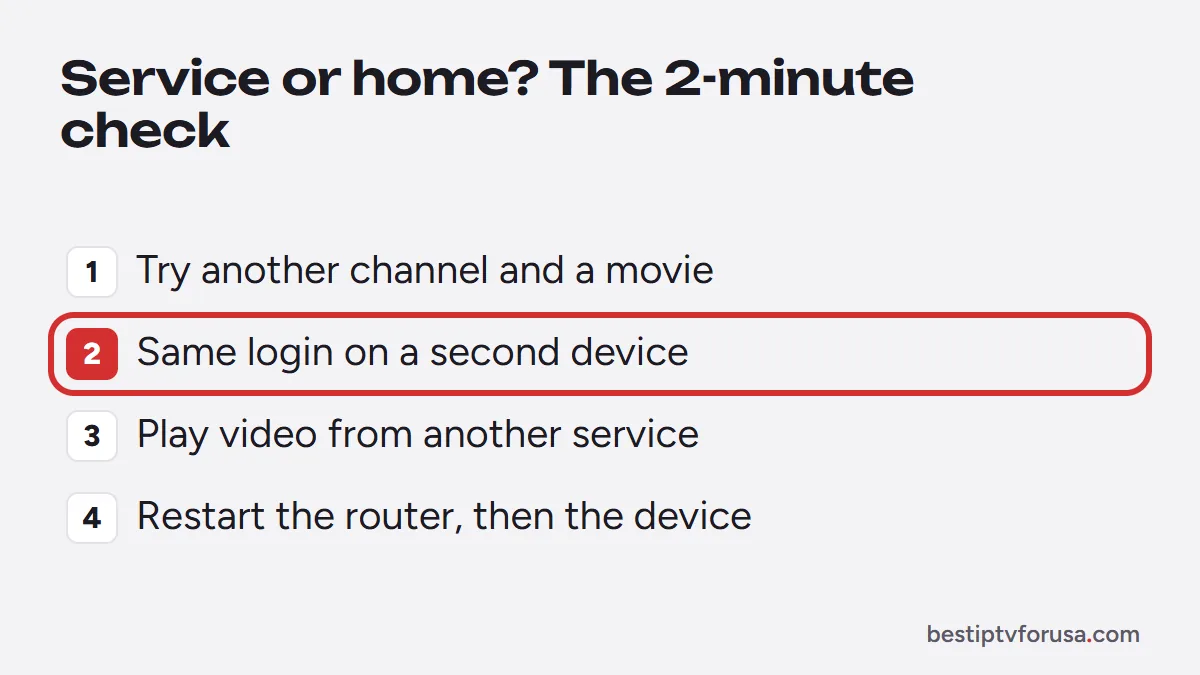
Run these four steps in order. Stop as soon as one of them answers the question:
- Try another channel and a movie. If a few channels fail but others play, the problem is limited to those channels, not the whole service.
- Try the same login on a second device. Use a phone or another TV with a player app and the login from your welcome email. If it works there, the first device or its app is the problem.
- Play a video from another service on the same TV or stick. If that also buffers or fails, your internet connection or Wi-Fi is the cause.
- Restart the router and the device. Unplug both for 30 seconds, plug the router back first, then the device.
If the login still fails on every device while other video plays normally, the IPTV service has a problem: go to what to do during an outage.
Signs of a real IPTV outage
A service-side problem looks the same everywhere at once:
- Every channel fails on every device and in every app, not just one.
- The login is refused everywhere, even though it worked yesterday and your plan has not ended.
- The TV guide is empty in every app at the same time.
- Other video works fine on the same connection.
When you see these together, nothing you change at home will fix it. Note the time it started and contact support.
Signs the problem is at home
Home problems usually affect one part of the setup only:
- One device fails, others work. Restart it, clear the player app’s cache, or check its storage.
- One app fails, another works with the same login. The app is the issue; update it or use another player.
- Only Wi-Fi devices struggle. A weak signal far from the router causes buffering; a wired connection or a closer router helps. Our IPTV buffering fix guide covers this.
- Everything slows down at the same hour. Other people or devices may be using the connection; our guide to internet speed for IPTV shows how much each screen needs, and the FCC explains typical household needs in its broadband speed guide.
- The login is refused on every device, but other customers’ service works. Check your plan’s end date and the login itself; our guide to IPTV Smarters “failed to authorize” lists the usual causes, and they apply to every player.
Is IPTV down on Firestick?
A Fire TV can look like an outage when the problem is the stick itself. Before you blame the service:
- Restart the Fire TV from Settings, My Fire TV, Restart, or unplug it for 30 seconds.
- Clear the player app’s cache in Settings, Applications, Manage Installed Applications.
- Check the player app. IPTV Smarters Pro, for example, no longer has a working official download for updates (checked October 2026); see IPTV Smarters Pro not working if that is your app.
- Check storage. A full stick slows down and can stop apps from loading the guide.
If the same login works on your phone at the same moment, the service is up and the Fire TV needs attention.
What to do during an IPTV outage
If the check points to the service, a few habits save time:
- Do not reinstall apps or change settings. It will not help and you may lose your favorites or a working app.
- Note the time and what you see: the error message, the device and the app.
- Check your plan’s end date in your welcome email or account, to rule out an expired line.
- Contact support with those details. Our support team answers by email at any hour.
- Try again after a short wait. Most interruptions are resolved within minutes to a few hours.
Why IPTV services go down
If your player shows a number with the error, our guide to IPTV error codes explains what it means, and IPTV blocked covers account and network blocks.
Even a well-run service has short interruptions. The usual reasons are:
- Server maintenance, often scheduled outside peak hours.
- Peak demand, such as a big live event, which can slow some channels.
- A server address change, which needs the new details in your app.
- A problem with one source, which affects some channels but not the whole service.
A provider that tells you about planned changes and answers quickly when something breaks is a sign of a reliable IPTV service. If you want to compare how a service holds up at your busiest hour, the 24-hour free trial lets you test it on your own connection.
Questions people ask
Why is my IPTV not working today?
Either the service has an outage or something changed at home: the Wi-Fi, the device, the app or the subscription's end date. The 2-minute check on this page tells you which one in a few steps.
Is IPTV down right now?
We can only speak for our own service. Test your login on a second device: if it fails everywhere while other video works, contact your provider's support with the time and device.
How long do IPTV outages last?
Most interruptions are short, from a few minutes to a few hours, often during server maintenance or peak demand. If it lasts longer, ask support for an update.
Should I use a VPN when IPTV is down?
A VPN does not fix a service outage, and it can slow streams down. Turn it off first; our guide on VPNs for IPTV explains when one helps.

Elmer Wenston writes the BestIPTVforUSA guides on IPTV setup, player apps and devices.