
By Elmer Wenston, updated . 4 min read.
IPTV error codes look cryptic, but they follow a simple logic. When your player asks the server for the playlist, the TV guide or a channel, the server answers with a status code; if something goes wrong, the player shows that code. Codes from 400 to 499 point to the request or the account, codes from 500 to 599 to the server, and a few codes such as 456 or 458 are not standard at all: each provider decides what they mean. This guide gives a reference table that works in any player, explains the messages that come without a number, and ends with a 5-step fix. It belongs to our guide Is IPTV down?, which helps you tell an outage from a home problem.
IPTV error codes at a glance
The standard codes below are defined by the HTTP specification, as summarized by MDN Web Docs. The third column is what they usually mean with an IPTV service:
| Code | Standard meaning | Usual cause with IPTV | First fix |
|---|---|---|---|
| 400 | Bad request | Malformed playlist address | Re-enter the details from your email |
| 401 | Unauthorized | Username or password not accepted | Retype the login exactly, case included |
| 403 | Forbidden | Account refused: expired, suspended or limit reached | Check the end date, then contact support |
| 404 | Not found | Wrong or changed address, or a channel removed | Check the server URL; refresh the playlist |
| 405 | Method not allowed | Player and server do not agree on the request | Update the app, or try another player |
| 429 | Too many requests | Too many attempts in a short time | Wait a few minutes before retrying |
| 500, 502, 503 | Server errors | Problem on the server side | Wait; contact support if it lasts |
| 511 | Network authentication required | A hotel, office or public network asks you to sign in | Complete the network sign-in, or use another connection |
Codes such as 456, 458 and 460 are not part of the HTTP standard. They are set by the provider’s server software, so the same number can mean different things with different services. They often relate to connection limits or account status. Stop playback on your other screens first, then ask your provider what the code means on their side.
Messages without a number
Some players show a message instead of a code. The most common ones:
- “Failed to authorize” or “invalid login”: the username, password or server URL is wrong, or the plan has ended. See IPTV Smarters “failed to authorize”; the fixes apply to every player.
- “No playlist” or “device not activated”: in apps activated by device ID, such as IBO Player Pro or Hot Player, the device has no playlist yet or its ID changed. See IBO Player not working.
- “Server not found” or “unable to resolve host”: the device cannot reach the server address; check the internet connection and the server URL.
- “Stream not available” on one channel: that channel’s source is down; try its other quality version and report it.
- “Connection timed out”: the server did not answer in time; restart the router and the device, then try again.
Fix any IPTV error in 5 steps
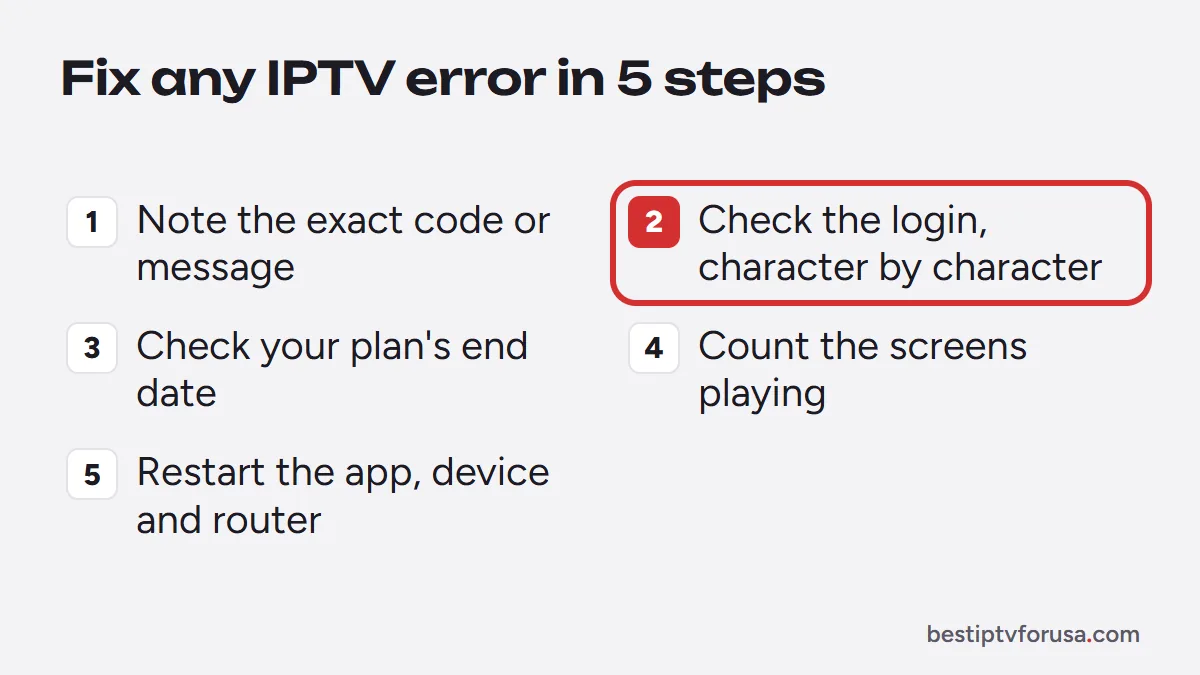
Most errors clear within the first three steps:
- Note the exact code or message, the channel, the device and the time.
- Check the login against your welcome email, character by character, including http:// and any port number.
- Check your plan’s end date in your order email or account.
- Count the screens playing. If more screens play than your plan allows, the extra one is refused; our guide to IPTV multiple connections explains the limit.
- Restart the app, the device and the router, then try another player with the same login to see whether the error follows.
Error codes by player
Each player words its errors a little differently. Our player-specific guides go further:
- TiviMate: “HTTP data source exception” with a code; see the TiviMate error guide.
- IBO Player Pro and Hot Player: activation messages tied to the device ID; see IBO Player not working and the Hot Player setup guide.
- VLC: “Your input can’t be opened”; usually an incomplete link. See the IPTV VLC guide.
- IPTV Smarters: login errors; see IPTV Smarters Pro not working.
When to contact support
If an error stays after the 5 steps, or appears on every device at once, contact support with the code or message, the channel, the device, the app and the time. Those details are usually enough to find the cause quickly. If you are comparing services, the 24-hour free trial lets you see how a provider’s support responds before you pay.
Questions people ask
What does error 403 mean on IPTV?
The server refused the request. With IPTV it usually means an account problem: an expired plan, a login typed wrong or a limit reached. Check your plan's end date and the login, then contact support.
What does error 511 mean on IPTV?
511 means a network between you and the server requires you to sign in first, as on hotel, office or public Wi-Fi. Open a web page to complete the network's sign-in, or use another connection.
What does error 458 mean on IPTV?
458 is not a standard HTTP code, so its meaning is set by each provider's server. It often relates to connection limits or the account's status. Stop playback on other screens, then ask your provider.
How do I reset my IPTV?
Restart the player app and the device, clear the app's cache, and re-enter the login exactly as in your welcome email. If an app is activated by device ID, check the ID did not change after a reinstall.

Elmer Wenston writes the BestIPTVforUSA guides on IPTV setup, player apps and devices.