
IPTV free trial: 24 hours, no card
The full service on one screen for a day, on your own TV. No card, no automatic billing, nothing to cancel.
How the trial works
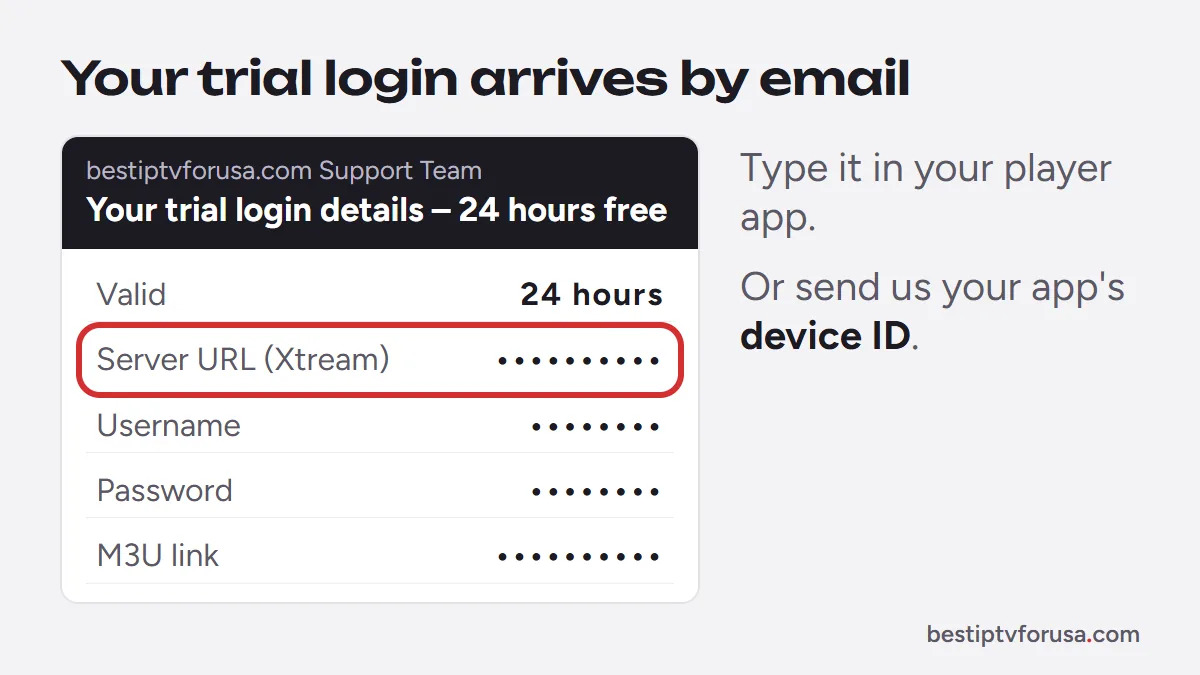
Request the trial with the form above and confirm your email. Your login arrives within seconds; sign in to your player app and watch.
- Step 1
Choose a plan
Pick your screens and length, then pay with Apple Pay, Google Pay or card. Your confirmation arrives within minutes.
- Step 2
Install a player app
TiviMate, IBO Player Pro, IPTV Smarters or Hot Player, from your app store (or with Downloader on Fire TV).
- Step 3
Sign in
Enter the Xtream Codes login from your welcome email, or email us the device ID your app shows to activate it.
Ask support for help - Step 4
Watch
Your channels, the TV guide and the on-demand library load within a few minutes.
A full IPTV free trial, not a demo
Many providers offer no trial, or a short demo with half the content locked. Ours is exactly what a paying subscriber gets: the same channels and IPTV subscription plans content, in HD and 4K where the source is 4K.
- Live TV
- Every live channel in the package, with the full program guide.
- Movies and series
- The complete on-demand library, in HD and in 4K where available.
- Sports and events
- Live sports and pay-per-view, so you can check the events you follow.
- Catch-up
- Rewind recent live programs straight from the guide.
What to test during your 24 hours
A day goes quickly. These checks tell you whether BestIPTVforUSA suits your household before you pay.
- The channels you watch most
- Open the live TV you would miss from cable, at the time you usually watch it.
- A busy evening
- Watch during prime time or a big game, when the load is highest.
- Picture quality
- Try HD and, on a 4K TV, a 4K title. Check the picture on your real connection.
- The guide and catch-up
- Browse what is on next and rewind a program that already started.
- The device you watch on most
- Install your player app on the TV, stick or phone you will keep using; the trial runs on one screen at a time.
- Support
- Email a question and see how quickly a person answers.
What internet speed do you need?
Run a speed test on the device you will watch on. These are the approximate speeds for one screen.
| Picture quality | Speed per screen |
|---|---|
| HD (720p) | About 10 Mbps |
| Full HD (1080p) | About 15 Mbps |
| 4K (2160p) | About 25 Mbps |
Add the speeds together for screens playing at the same time. A wired connection or a strong Wi-Fi signal helps most for 4K.
What happens when the trial ends
- The playlist stops after 24 hours. Nothing is charged, because no card was asked for.
- To keep watching, choose a plan; one screen starts at $30 for three months.
- Your player app stays installed. Support sends your paid login, or switches the same device to your plan.
Trial questions
Still unsure? Support answers by email at any hour.
How do I start the free trial?
Fill in the trial form with your name and email. Open the link we email you and press Activate my trial: your login appears straight away.
How long does it last?
24 hours from activation, on one screen.
Is it really free?
Yes. No card is asked for, there are no hidden fees and nothing renews automatically.
Which app do I use during the trial?
The same player app you would use afterwards. Follow our setup guide for your device and sign in with the trial login we email you.
What happens after 24 hours?
The trial simply stops. If you liked it, choose a plan on the IPTV subscription page; one screen starts at $30 for three months.
Your trial starts in minutes
Choose your device, enter your email and your login is on its way.
Free 24-hour trial, no card needed. 48-hour money-back guarantee. Nothing renews automatically.