
Best IPTV for Firestick and Fire TV
Install a player app with Downloader, sign in with your BestIPTVforUSA login and watch live TV, movies and series on your Fire TV Stick in about ten minutes.
Free 24-hour trial, no card needed. 48-hour money-back guarantee. Nothing renews automatically.
- Setup time
- About 10 minutes
- Player apps
- IBO Player Pro, TiviMate, ELK Player
- Installed with
- Downloader (free)
- Screens per plan
- 1 to 6
- Free trial
- 24 hours, no card
A Firestick is one of the easiest devices for IPTV: it is cheap, it plugs into any TV with HDMI, and the best player apps run on it. What decides how good it feels is the player app you install, a steady connection and a provider whose streams hold up at busy times.
BestIPTVforUSA works on Fire TV Sticks, the Fire TV Cube and Fire TV smart TVs running Fire OS; on the newest Vega OS sticks, use a player from the Amazon Appstore. You install a player app once, sign in with the login from your welcome email, and the channel list, TV guide and on-demand library load in. Plans start at $30 for three months, and the 24-hour free trial runs on the same stick you will keep using.
For 4K you need a 4K-capable Fire TV Stick and a 4K TV; the older HD sticks play up to 1080p (see what 4K IPTV needs). Every screen of the install is in the Firestick installation guide, and app-by-app help is in the TiviMate and IBO Player Pro guides.
- Player apps that suit the remote: IBO Player Pro needs no typing at all, TiviMate gives you a full TV guide grid and has a free version, and ELK Player is activated for you like IBO.
- One login, every screen: your plan covers 1 to 6 screens playing at the same time, on the stick and on your other devices.
- No IP lock: take the stick to a hotel or a second home and sign in there.
- 48-hour money-back guarantee: if it does not work on your Fire TV and support cannot fix it, you get your money back.
Player apps for Fire TV
- IBO Player Pro
- Price7-day free trial, then about $8 once for lifetime use on that device
- How you sign inDevice ID, activated by us
- Downloader code923441
- TiviMate
- PriceFree version; Premium about $10 a year or $35 lifetime, up to 5 devices
- How you sign inLogin from your welcome email
- Downloader code272483
- ELK Player
- Price14-day free trial, then about €6 once for that device
- How you sign inDevice ID, activated by us
- Downloader code82854
How to set up IPTV on a Firestick
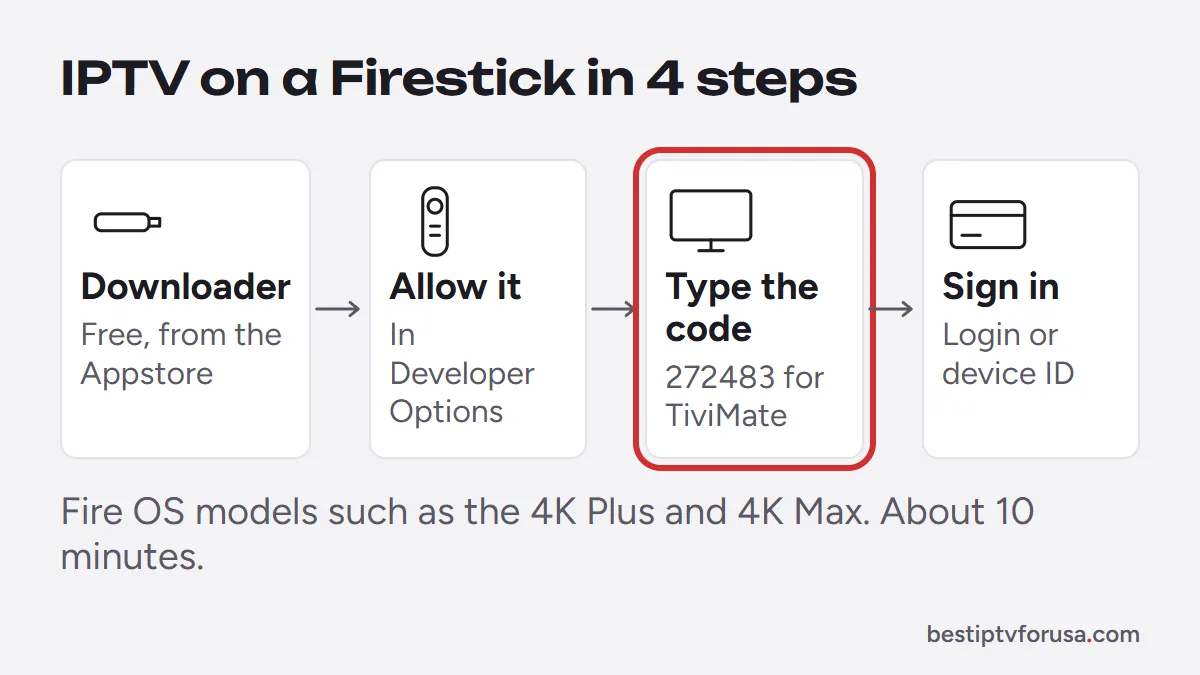
The short version below works on every Fire TV running Fire OS, such as the Fire TV Stick 4K Plus and 4K Max. The setup guide shows each screen for the app you pick.
- Step 1
Install Downloader
Search for Downloader in the Amazon Appstore and install it. It is free.
- Step 2
Allow Downloader
Open Settings, My Fire TV, Developer Options, Install unknown apps, and turn Downloader on. If Developer Options is missing, open About and click the device name seven times.
- Step 3
Install your player
Open Downloader and type the code of your app, for example 272483 for TiviMate. Install it, then delete the downloaded file to free space.
- Step 4
Sign in and watch
Enter the login from your welcome email, or send us the device ID the app shows. Channels and the guide load in a few minutes.
Common questions
Still unsure? Ask support, day or night.
What is the best IPTV app for Firestick?
TiviMate if you want a TV guide grid like cable, IBO Player Pro if you want to avoid typing with the remote, and ELK Player as another no-typing option. All three work with your BestIPTVforUSA login.
Is it safe to install apps with Downloader?
Downloader only fetches the file from the address or code you enter. Install player apps from their official sources (the codes on this page) and leave “Install unknown apps” on for Downloader only.
Why does IPTV buffer on my Firestick?
Usually Wi-Fi. Move the router closer or use the 5 GHz band, plug in an Ethernet adapter if you can, and restart the stick once a week. Each HD stream needs about 10 Mbps and each 4K stream about 25 Mbps.
Which Fire TV model should I buy for IPTV?
Pick a model running Fire OS, such as the Fire TV Stick 4K Plus or 4K Max: they install every player app. The Fire TV Stick 4K Select and the newest Fire TV Stick HD run Vega OS, which only installs Amazon Appstore apps, so most players are not available there.
Can I use the same subscription on my other TVs?
Yes. Install a player on each device; your plan sets how many play at the same time, from 1 to 6.
Try it on your Firestick tonight
Plans start at $30 for three months, with a 48-hour money-back guarantee if it does not work on your Fire TV.
Free 24-hour trial, no card needed. 48-hour money-back guarantee. Nothing renews automatically.