
By Elmer Wenston, updated . 4 min read.
A reliable IPTV service is one that keeps streams steady when everyone is watching, puts its terms in writing and answers when you need help. None of this requires trusting a ranking: you can check most of it yourself in a free trial and by reading a few pages of the provider’s site. Below are the 7 signs of a reliable IPTV service, how to check each one, and the signs that a provider may not last. It belongs to our guide on IPTV trial length, which explains how to test in the time you have.
7 signs of a reliable IPTV service
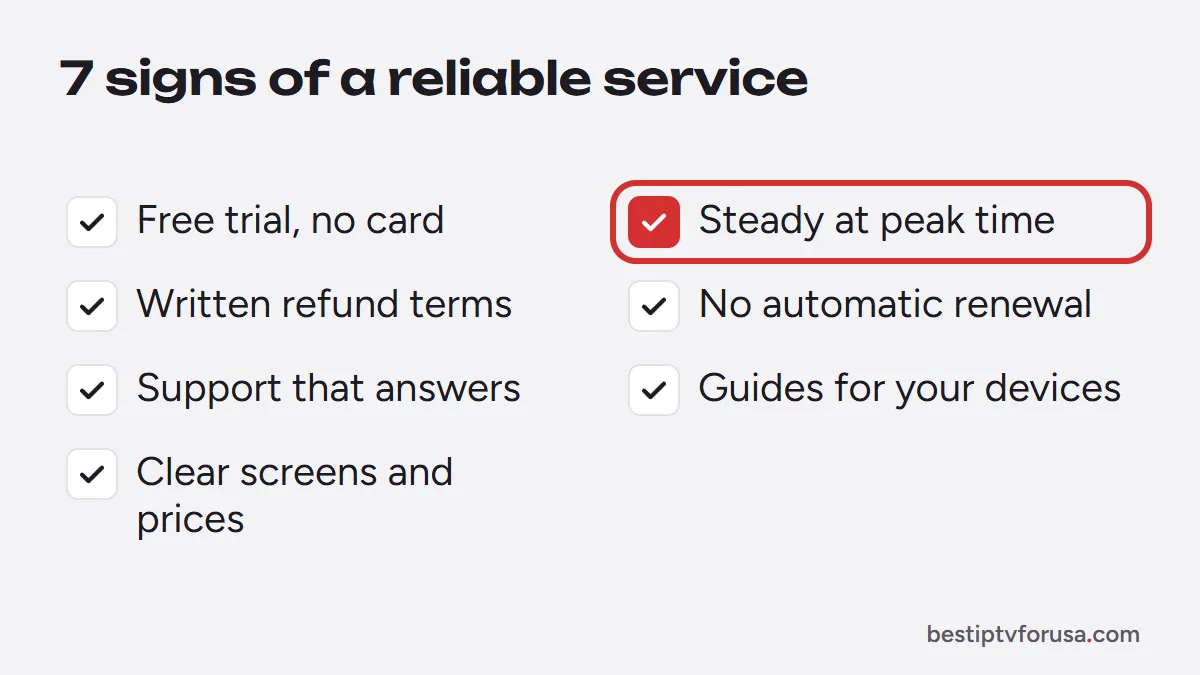
- A free trial with no card. A provider confident in its service lets you test it first. Check that the trial does not ask for card details or turn into a paid plan on its own.
- Steady streams at peak time. Reliability shows on a weekday evening or during a big game, when demand is highest. Test then, not at 10 a.m.
- Written refund terms. Look for a refund window stated in writing, with the conditions. Ours is 48 hours from purchase if the service does not work on your device and support cannot fix it.
- No automatic renewal. A plan that does not renew on its own means you stay in control; you renew only if the service keeps working for you.
- Support that answers. Send a question before you buy. A clear answer within hours says more than any promise on a home page.
- Setup guides for your devices. A provider that documents setup on Fire TV, smart TVs, Apple and Android devices expects to support customers over time. See our setup guide for an example.
- Transparent screens and prices. The number of screens, the plan length and the total price should be clear before checkout, with no hidden fees.
A provider that shows all seven gives you both a way to test it and a way out if it does not work for you.
How to check reliability during a trial
A short trial is enough if you test the right things. On the device you use most:
- Watch at your busiest time, ideally a weekday evening or during a live event.
- Switch channels several times and note how fast each one starts.
- Open the TV guide and check that programs match what is playing.
- Replay a program with catch-up and start a movie from the library.
- Ask support one real question and time the answer.
Our guide on IPTV trial length has the full 24-hour test plan.
Signs a provider may not last
Some offers look attractive but leave you with nothing if the service stops. Be careful when you see:
- Very long plans at very low prices. A “lifetime” plan only lasts as long as the provider; our guide to lifetime IPTV subscriptions explains why they rarely do.
- Payment only by methods you cannot dispute. If the service stops, you have no way to get your money back.
- No contact page or support address. If you cannot reach anyone before you pay, you will not reach anyone after.
- Frequent changes of site address or name. A provider that keeps moving is hard to hold to its terms.
Our guide to legit IPTV services and scams covers 12 red flags in detail.
Reliability also depends on your home setup
Many problems blamed on a provider start at home. Before you judge a service, check:
- Your connection. Each screen needs enough speed; our guide to internet speed for IPTV gives the numbers for HD and 4K.
- Wi-Fi versus cable. A weak Wi-Fi signal causes buffering that a wired connection would not.
- Your device. Older streaming sticks struggle with 4K and large TV guides.
- Your player app. Apps change over time; IPTV Smarters Pro, for example, no longer has a working official download (checked October 2026), as our IPTV Smarters guide explains.
If streams buffer, our IPTV buffering fix guide helps you find whether the cause is at home or with the service.
Reviews and Reddit threads: how to read them
Reviews and forum threads help, but read them with care:
- Check the date. A glowing review from two years ago says little about the service today.
- Look for details. Useful reviews mention a device, a time of day or a support exchange.
- Watch for patterns. One bad night happens; the same complaint repeated by many people is a signal.
- Be wary of copy-paste praise. Identical wording across several reviews is a sign they were not written by real customers. The US Federal Trade Commission has a final rule banning fake reviews and testimonials.
Then test the service yourself: the 24-hour free trial shows how it behaves on your connection, which no review can tell you.
Questions people ask
What is the most reliable IPTV service?
The one that passes these checks on your own connection and device. Reliability depends on the provider and on your home network, so test at your usual viewing time instead of trusting a ranking.
How can I tell if an IPTV provider is legit?
Look for a free trial, written refund and renewal terms, a way to contact support and payment methods you can dispute. Our guide to legit IPTV services and scams lists the warning signs.
Why does a reliable IPTV service still buffer sometimes?
Buffering often comes from the home side: Wi-Fi signal, other devices using the connection or an old streaming stick. Test with a wired connection or another device before blaming the service.
Should I buy a long plan from a new provider?
Start with a short plan. Once the service has worked well for a few months on your devices, a longer plan costs less per month with less risk.

Elmer Wenston writes the BestIPTVforUSA guides on IPTV setup, player apps and devices.