
By Elmer Wenston, updated . 6 min read.
The best IPTV box for most US homes is a Fire TV Stick running Fire OS or an Android TV / Google TV box: both are affordable, run every major player app and take about ten minutes to set up. Apple TV 4K is the premium choice for Apple households, while MAG and Formuler boxes suit people who want a receiver built only for IPTV.
Whatever you pick, remember that a box is only the hardware. The channels, the TV guide and the on-demand library come from your subscription, which you open in a player app on the box.
The five IPTV boxes compared
| Box | How you add apps | Login types | Wired internet | Best for |
|---|---|---|---|---|
| Fire TV Stick (Fire OS) | Amazon Appstore and the Downloader app | Xtream Codes, device activation, M3U, STB Emulator portal | Through Amazon’s Ethernet adapter | The easiest low-cost start |
| Android TV / Google TV box | Google Play Store, Downloader | Xtream Codes, device activation, M3U, STB Emulator portal | Built-in port on many models | TiviMate fans, 4K on a wired connection |
| MAG box | No apps needed: built-in portal | Portal URL linked to the box’s MAC address | Built-in port | A simple, dedicated IPTV receiver |
| Formuler box | MyTVOnline comes pre-installed | Xtream Codes in MyTVOnline | Built-in port | Dedicated IPTV with a full guide |
| Apple TV 4K | App Store | Xtream Codes, device activation | Gigabit Ethernet on the 128GB model | Apple households, a polished interface |
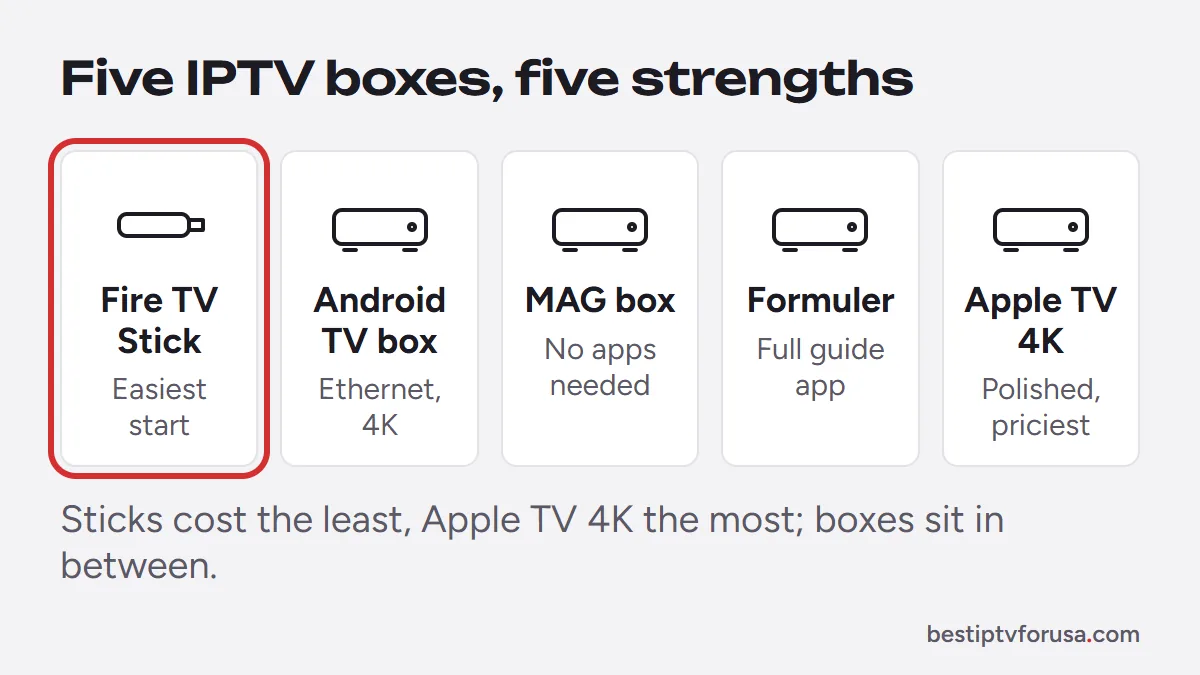
Prices change often and vary by retailer, so compare them on the day you buy. As a rough guide, streaming sticks are the cheapest option, Android boxes and dedicated IPTV boxes sit in the middle, and Apple TV 4K costs the most.
Fire TV Stick: the easiest place to start
A Fire TV Stick plugs into your TV’s HDMI port and runs the player apps most IPTV users rely on: IBO Player Pro, TiviMate, ELK Player and Hot Player. On Fire OS models you install most of them with the free Downloader app and a short code; our list of Downloader codes for IPTV player apps has them all.
Pros
- Low price, small, and the remote has voice search.
- Every common player app works on Fire OS models.
- Huge user base, so menus and fixes are well documented.
Cons
- Wi-Fi only out of the box. Amazon’s specifications list Ethernet at 10/100 Mbps through an external adapter for most sticks, which is still plenty for IPTV.
- Limited storage on smaller models fills up if you install many apps.
Check the operating system before you buy
Amazon now sells Fire TV Sticks on two systems. According to Amazon’s Fire TV device specifications, the Fire TV Stick 4K Select (2025) and the 2026 Fire TV Stick 4K and Fire TV Stick HD run Vega OS, while models such as the Fire TV Stick 4K Max (2nd Gen) and Fire TV Stick 4K Plus run Fire OS.
The Downloader method in our guides is written for Fire OS. On a Vega OS stick, check which player apps the Amazon Appstore offers before you rely on it. If you want the widest choice of IPTV apps, pick a Fire OS model.
Our Firestick setup guide walks through the install on Fire OS step by step.
Android TV and Google TV boxes: the most flexible
Android TV and Google TV boxes run the Google Play Store, so TiviMate, ELK Player and Hot Player install like any other app, and IBO Player Pro installs with Downloader. This is the natural home for TiviMate and its full guide grid. To compare models, see how to choose an Android TV box for IPTV.
Many boxes have a built-in Ethernet port, which is the single best upgrade for steady 4K. Google’s own Google TV Streamer, for example, lists a 10/100/1000 Mbps Ethernet port and 4K HDR output.
Pros
- Play Store apps, regular updates on certified devices.
- Wired internet on many models.
- Works with STB Emulator if you want a MAG-style portal.
Cons
- Quality varies widely among no-name boxes. Prefer a certified Android TV or Google TV device that still gets updates.
- Some cheap boxes ship with unknown pre-installed apps. Avoid them.
The Android TV box setup guide covers each app.
MAG boxes: plug in, enter a portal, watch
MAG boxes are built for IPTV and do not need a player app. You read the MAC address in Settings, then System Settings (it is also printed under the box), your provider links it to your line, and you enter the portal URL you receive under Servers, then Portals. Our MAG box guide covers the models and each setup screen.
Pros
- Very simple remote-driven menus, good for less technical family members.
- Wired Ethernet built in.
- No app licenses to buy.
Cons
- Only works with providers that offer a MAG portal.
- No general app store, so it does one job only.
- The look and features depend on the portal, not on you.
See the MAG box setup guide for the exact steps.
Formuler boxes: a dedicated box with a full guide
Formuler boxes run Android with the MyTVOnline app pre-installed. You add your line in Portal Settings with the Xtream Codes login (server URL, username and password), and channels, guide and on-demand titles load in one app.
Pros
- Purpose-built IPTV interface with a TV guide, made for a remote.
- Wired Ethernet on the box.
- Xtream Codes login, so no MAC activation wait.
Cons
- Costs more than a streaming stick.
- Smaller user community than Fire TV or Google TV.
Apple TV 4K: the premium pick for Apple homes
Apple TV 4K runs IBO Player Pro, ELK Player, Smarters Player Lite, UHF and Hot Player from the App Store. There is no sideloading, so everything installs the normal way and updates on its own. Most of these apps also run on a phone or tablet: see IPTV for iPhone and iPad. Apple’s specifications list Gigabit Ethernet on the 128GB model; the lower-storage model is Wi-Fi only.
Pros
- Fast, smooth interface and long software support.
- AirPlay from iPhone and iPad.
- Wired internet on the 128GB model.
Cons
- The highest price of the five.
- TiviMate is not available on Apple devices.
Our Apple TV and iPhone guide has the app-by-app steps.
Which is the best IPTV box for you?
Already own a game console? Our guide to IPTV on Xbox shows what runs on it, though a dedicated box is usually easier for everyday TV.
Answer these four questions and the choice usually makes itself:
- Do you already own a smart TV with apps? Try the free 24-hour trial on the TV first. If it runs smoothly, you may not need a box at all.
- Is the router far from the TV? Choose a box with an Ethernet port, or plan for an adapter. Wired beats Wi-Fi for 4K.
- Do you want TiviMate? Pick a Fire OS stick or an Android TV / Google TV box.
- Who will use it? For someone who just wants channels and a guide with no app choices, a MAG or Formuler box is the least confusing.
Whichever box you choose, check your connection too: plan on about 10 Mbps per HD screen and 25 Mbps for 4K, as our guide to internet speed for IPTV explains. And if you still use a Roku, it works with a few limits.
Questions people ask
What is the best box for IPTV?
For most people, a Fire TV Stick on Fire OS or an Android TV / Google TV box. Both run TiviMate, IBO Player Pro and the other common players. Choose Apple TV if your home already uses Apple devices, and a MAG or Formuler box if you want a dedicated IPTV receiver.
Do I need a box if I have a smart TV?
Not always. Samsung and LG TVs run apps such as IBO Player Pro, ELK Player, Set IPTV and Hot Player; our guide to the best IPTV app for Samsung TV compares them. A box is still worth it if your TV's apps feel slow, if your TV is older, or if you want TiviMate, which runs on Android-based devices.
Is a Fire TV Stick good enough for 4K IPTV?
Yes, on a 4K model with a 4K TV and a steady connection of about 25 Mbps for that screen. Wi-Fi is the usual weak point, so place the router close or add Amazon's Ethernet adapter.
Does the box come with channels?
No. Any box only runs a player app. The channels, guide and library come from your IPTV subscription, which you sign in to inside the app.

Elmer Wenston writes the BestIPTVforUSA guides on IPTV setup, player apps and devices.