
By Elmer Wenston, updated . 4 min read.
The best Android TV box for IPTV is less about a brand than about five specifications: a recent, certified Android TV or Google TV version, enough memory, an Ethernet port, 4K output if your TV is 4K, and a good remote. Boxes that meet them run the main IPTV players and receive system updates; check the manufacturer’s update policy before you buy. This guide gives you the checklist to compare any box and the setup once it is home. For a comparison with Fire TV, MAG, Formuler and Apple TV, see our guide to the best IPTV box.
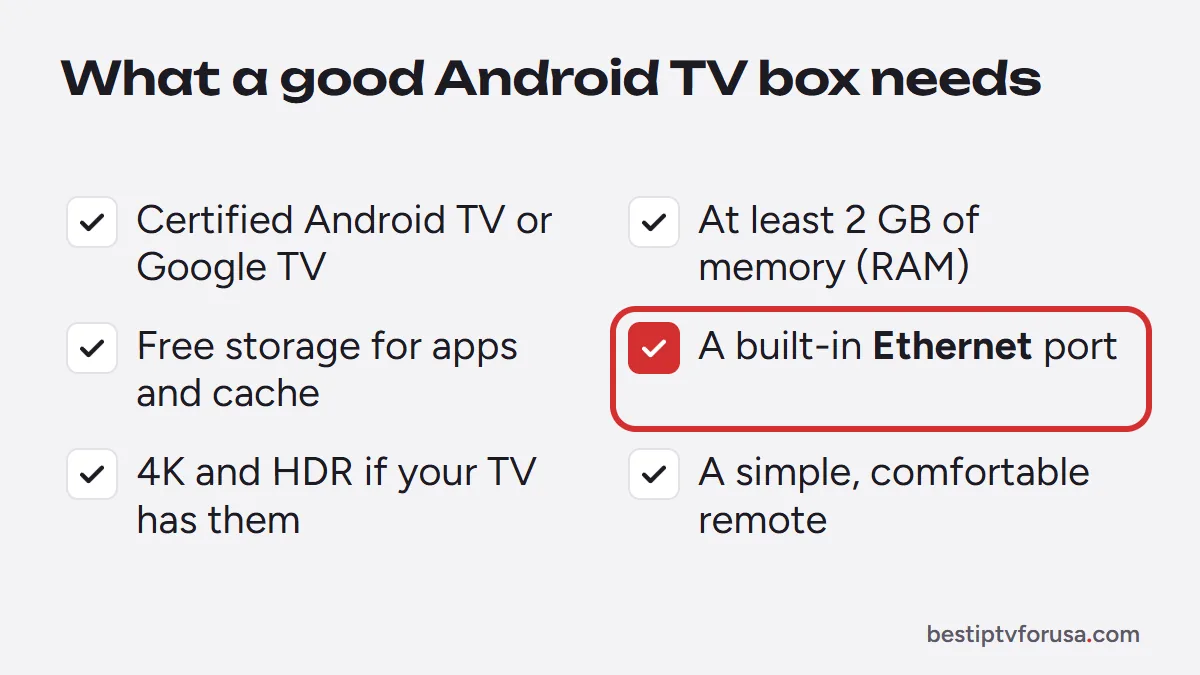
The checklist: what makes a good Android TV box for IPTV
| Check | What to look for | Why it matters for IPTV |
|---|---|---|
| Operating system | A recent, certified Android TV or Google TV version | Google Play, app updates and security fixes |
| Memory (RAM) | At least 2 GB | A smooth player and TV guide |
| Storage | Enough free space for apps and their cache | Player apps slow down when storage is full |
| Ethernet port | Built in | A steadier connection than Wi-Fi for live TV |
| Video output | 4K and HDR if your TV supports them | 4K streams need a 4K-capable box |
| Remote | Simple and comfortable to hold | Easier navigation through channels |
Certified vs uncertified boxes
A certified Android TV or Google TV device comes with Google Play and receives updates. Some low-cost boxes run an uncertified version of Android: they can ship with older software, may lack Google Play and may get fewer updates. For IPTV this matters because player apps are updated over time, and an old system can stop running the latest version. Google’s Android TV help center covers updates and the Play Store on certified devices.
Examples of certified devices include the NVIDIA Shield and the Google TV Streamer, which replaced the Chromecast with Google TV in 2024. Many TVs also run Google TV built in, which works the same way for IPTV.
Which IPTV app to install on an Android TV box
Android TV boxes run a wide choice of players, including TiviMate from Google Play:
- TiviMate: a cable-style guide grid, free with an optional Premium upgrade.
- IBO Player Pro: activated with the device ID, so nothing to type with the remote.
- Hot Player and ELK Player: device-activated alternatives.
Our comparison of the best IPTV player apps explains each one, and you can install two and keep the one you prefer.
Best Android TV box for IPTV: quick picks by need
- You have a 4K TV: a certified Google TV or Android TV box with 4K and HDR output.
- You want the steadiest picture: a box with a built-in Ethernet port, wired to the router.
- You want the lowest cost: a certified Google TV streaming device; check that it has at least 2 GB of memory.
- You want the fewest menus for the family: a box with a simple remote, set up with IBO Player Pro so nobody types a login.
- Your TV already runs Google TV: you may not need a box at all; install the player on the TV.
Android TV box vs other IPTV devices
| Device | Strength | Limit |
|---|---|---|
| Android TV or Google TV box | A wide choice of players, Google Play, Ethernet on many models | Quality varies between models |
| Fire TV Stick | Low price, simple | Some players install with Downloader |
| MAG box | TV only, nothing to type | Works only with a MAG portal |
| Formuler box | Built for IPTV with MyTVOnline | Fewer general apps |
| Apple TV 4K | 4K and Apple ecosystem | App Store players only |
If you prefer a box that only shows TV, our guide to the MAG box explains how the portal setup works.
How to set up IPTV on an Android TV box
- Connect the box to the TV by HDMI, and to the router by Ethernet if you can.
- Sign in to Google on the box and install any system updates.
- Install your player app from Google Play, or with Downloader for apps that are not in the store.
- Sign in with the Xtream Codes details from your welcome email, or send the device ID for device-activated apps.
- Open the TV guide and check that the times match your time zone.
The Android TV and Google TV setup guide shows each screen.
Tips for a smooth picture
- Use Ethernet whenever the box has a port.
- Keep some storage free and clear the player’s cache if it slows down.
- Restart the box from its settings menu now and then.
- Match the output to your TV: set 4K only if your TV and stream support it.
- Install system updates when the box offers them, then update your player app.
- Turn on HDMI-CEC in the TV settings if available, so one remote controls the TV and the box.
Try your box with a free login
Once the player is installed, request a 24-hour free trial and watch for an evening on the box you bought. If the picture and the guide suit you, choose your screens on the IPTV subscription plans page.
Questions people ask
What is the best Android TV box for IPTV?
Any box running a recent, certified Android TV or Google TV version, with at least 2 GB of memory, an Ethernet port and 4K output if your TV is 4K. The NVIDIA Shield and the Google TV Streamer are examples of certified devices.
Do I need a certified Android TV box?
It is strongly recommended. Certified devices come with Google Play and receive app and security updates. Uncertified boxes often run older Android versions and may not get updates.
Which IPTV app is best on an Android TV box?
TiviMate for a cable-style guide grid, IBO Player Pro for activation by device ID, or ELK Player as another device-ID option. Our player comparison covers each.
Is an Android TV box better than a Fire TV Stick for IPTV?
An Android TV box with Google Play and an Ethernet port is more flexible; a Fire TV Stick is cheaper and simpler. Both run the main IPTV players.
How much memory does an IPTV box need?
At least 2 GB of memory is a sensible minimum for a smooth player and guide. More helps if you also use other apps.

Elmer Wenston writes the BestIPTVforUSA guides on IPTV setup, player apps and devices.