
By Elmer Wenston, updated . 4 min read.
IPTV for iPhone and iPad works the same way as on a TV: you install a player app and sign in to your IPTV service. On Apple devices every player comes from the App Store, so there is nothing to sideload and updates arrive like any other app. Five players are available; two are free and three are activated with a device ID. When you want the bigger screen, AirPlay sends the picture to your TV. For the TV side of an Apple setup, see our guide to the best IPTV app for Apple TV.
The IPTV apps for iPhone and iPad
| App | Price (set by its developer) | How you sign in | Good to know |
|---|---|---|---|
| Smarters Player Lite | Free | Xtream Codes | The Apple version of IPTV Smarters |
| UHF | Free, optional Pro plan | Xtream Codes | Built for Apple devices only |
| IBO Player Pro | 7-day trial, then about $8 once per device | Device ID, activated for you | Nothing to type |
| ELK Player | 14-day trial, then about €6 once per device | Device ID and key, activated for you | An alternative to IBO Player Pro |
| Hot Player | Free period, then a small license fee | MAC address, activated for you | Also on Roku and some smart TVs |
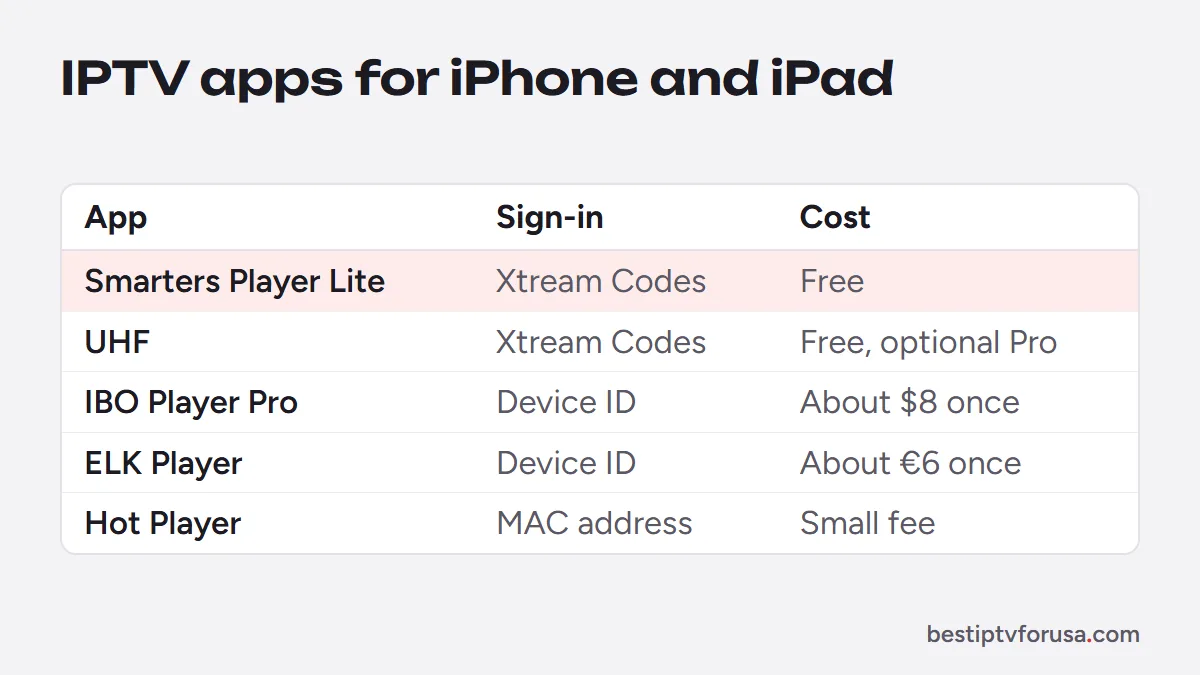
Smarters Player Lite is listed as Smarters Player Lite in the App Store. Our comparison of Smarters Player Lite and IPTV Smarters Pro explains how it relates to the Android and Fire TV version.
How to set up IPTV on an iPhone or iPad
- Open the App Store, search for the player you chose and install it.
- Open the app.
- Xtream Codes apps (Smarters Player Lite, UHF): enter the server URL, username and password from your welcome email, exactly as written.
- Device ID apps (IBO Player Pro, ELK Player, Hot Player): send the ID shown on screen to support, then close and reopen the app once it is activated.
- Open the TV guide and play a channel.
Typing a long server address is easier on a phone keyboard than on a TV remote, which makes the iPhone a handy place to start. The full walk-through, including the Apple TV, is in our iPhone and Apple TV setup guide.
Watch on your TV with AirPlay
Using a Mac instead? Our IPTV Mac guide shows which apps run on Apple-chip and Intel Macs.
You can send the picture from an iPhone or iPad to a bigger screen:
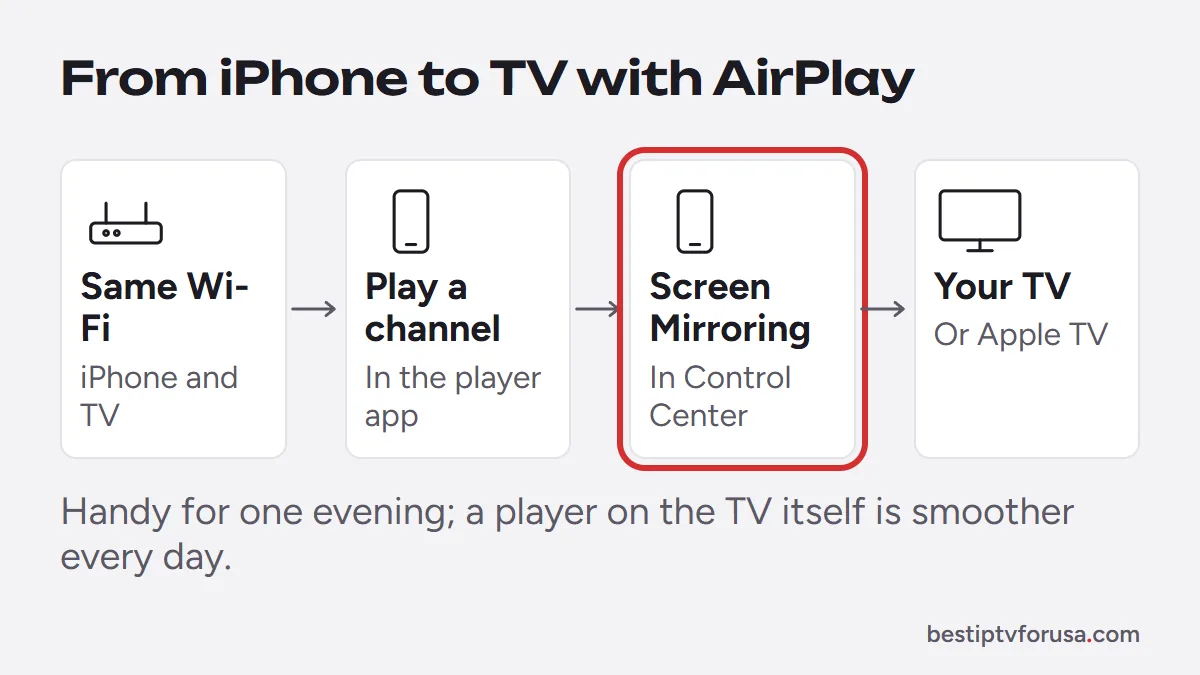
- Connect the iPhone and the TV or Apple TV to the same Wi-Fi network.
- Play a channel in the player app.
- Open Control Center, tap Screen Mirroring and choose your Apple TV or AirPlay-compatible TV.
Mirroring is handy for an occasional evening. For daily viewing, installing a player on the TV itself or on an Apple TV is smoother, and the phone stays free. Our comparison of IPTV boxes helps if your TV has no suitable app.
Mobile data: how much IPTV uses
On home Wi-Fi without a data cap, this matters less; on a mobile plan, it adds up quickly:
| Picture quality | Approximate speed | Data per hour |
|---|---|---|
| HD | 10 Mbps | About 4.5 GB |
| Full HD | 15 Mbps | About 6.75 GB |
| 4K | 25 Mbps | About 11 GB |
These figures come from the speed multiplied by an hour (for example, 10 megabits per second × 3,600 seconds ÷ 8 bits per byte). If your phone plan has a data allowance, watch on Wi-Fi when you can, or pick a lower quality in the app’s settings where it offers one.
Common problems on iPhone and iPad
| Problem | Likely cause | Fix |
|---|---|---|
| Sign-in fails | Typo in the server URL, username or password | Retype them exactly; they are case-sensitive |
| Video stops when the screen locks | The app may pause in the background | Keep the app open, or use AirPlay to the TV |
| The TV is not listed in Screen Mirroring | Devices on different Wi-Fi networks | Put the iPhone and the TV on the same network |
| Picture stutters on mobile data | Weak signal or a slow connection | Move to Wi-Fi or lower the quality |
| Guide is empty after sign-in | Guide not loaded yet | Wait a few minutes, then refresh it in the app |
If a device-activated app such as IBO Player Pro still shows no channels after activation, close it fully and reopen it, then send a new photo of the device ID screen to support.
iPhone, iPad or Apple TV: which suits you?
- iPhone: watching on the go, in bed or while traveling; your login works anywhere, with no IP lock.
- iPad: a larger screen for the kitchen or the kids’ room, same apps as the iPhone.
- Apple TV: the main TV in the house, with the Siri Remote, and Ethernet on models that have a port.
Each device playing at the same time counts as one screen on your plan, so a family that watches on an Apple TV and two iPhones at once needs three screens.
Try it on your iPhone first
Install Smarters Player Lite or UHF, request a 24-hour free trial and sign in with the login from your email. If it suits you, choose the number of screens your household needs on our IPTV subscription plans page.
Questions people ask
Can you get IPTV on an iPhone?
Yes. Install a player from the App Store, such as Smarters Player Lite or UHF, and sign in with the login from your IPTV welcome email. The app shows live TV, the guide and on-demand content.
What is the best IPTV app for iPhone?
Smarters Player Lite or UHF if you want a free app and do not mind typing your login once. IBO Player Pro if you prefer activation by device ID with nothing to type.
Is there a free IPTV app for iPhone?
Yes. Smarters Player Lite is free, and UHF is free with an optional Pro plan. Both sign in with Xtream Codes details.
How do I watch IPTV from my iPhone on my TV?
Play a channel, open Control Center, tap Screen Mirroring and choose your Apple TV or AirPlay-compatible TV. For daily viewing, a player installed on the TV or an Apple TV is smoother.
Does IPTV on iPhone use a lot of data?
Yes on mobile data. A stream at about 10 Mbps uses roughly 4.5 GB an hour, and more in 4K. Use Wi-Fi when you can and check your phone plan's data allowance.

Elmer Wenston writes the BestIPTVforUSA guides on IPTV setup, player apps and devices.