
By Elmer Wenston, updated . 4 min read.
IPTV with catch-up means you can replay programs that already aired, straight from the TV guide, without having recorded them. You open the guide, go back to last night’s show and press play. It works on channels where your provider keeps an archive, in a player app that supports catch-up. This guide explains what catch-up is, how it differs from on-demand and recording, how to use it and how to check it before you pay. It is part of our guide on IPTV trial length, where catch-up is one of the checks to run.
What catch-up TV means in IPTV
Catch-up TV is an archive of recent programs that your IPTV provider keeps for some channels. When a channel has catch-up, the past programs in its TV guide become playable: you select one and it starts from the beginning.
Three points define how it works:
- Per channel. The provider decides which channels have an archive. Others show past programs in the guide but cannot play them.
- Limited in time. Each archive covers a set number of days, which can differ from one channel to another.
- Shown in the guide. Players mark replayable channels or programs, often with a small archive icon, so you know what you can open.
Catch-up relies on the TV guide to know which program aired when; our guide to what an EPG is explains how the guide loads.
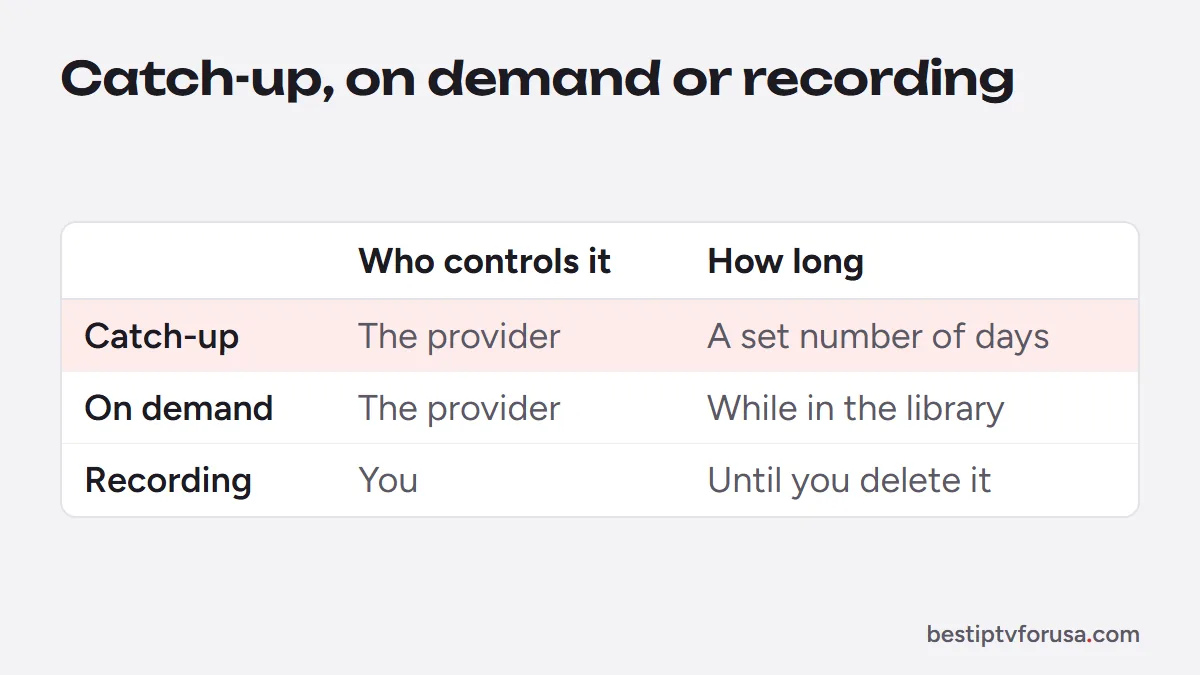
Catch-up vs on-demand vs recording
These three features all let you watch something later, but they work differently:
| Catch-up | On-demand (VOD) | Recording | |
|---|---|---|---|
| What it is | Replay of programs that aired on a channel | A library of movies and series | A copy saved by your player |
| Who controls it | The provider, per channel | The provider | You |
| How long it lasts | A set number of days | As long as the title stays in the library | Until you delete it |
| Where it lives | Provider’s servers | Provider’s servers | Your device or USB drive |
The on-demand library is covered in our guide to IPTV VOD. Recording depends on the player: TiviMate, for example, lists recording among its features, and our guide to TiviMate Premium explains which features the upgrade unlocks.
How to use catch-up in your player
Catch-up starts from the TV guide in every player that supports it. The general steps are the same:
- Sign in with Xtream Codes. The Xtream Codes login (server URL, username and password) carries the catch-up information in most setups; an M3U link often does not. Our guide to Xtream Codes vs M3U explains the difference.
- Open the TV guide and pick a channel marked for catch-up.
- Move back in time to a program that already aired.
- Select it and choose play. The program starts from its beginning.
TiviMate lists catch-up among its features on its Google Play listing and plays past programs from its guide grid; the app shows which features need Premium. Our TiviMate setup guide covers sign-in. In other players, look for the archive icon in the guide or a “catch-up” section; menu names change between app versions, so follow the icons rather than an exact path.
IPTV with catch-up: how to check it during a free trial
If catch-up matters to you, check it before choosing a plan. During the 24-hour free trial:
- Pick three channels you watch often.
- Look for the catch-up marker on each one in the guide.
- Replay a program from last night and skip forward a few minutes to check it plays smoothly.
- Note how far back the guide lets you go on each channel.
Our guide on IPTV trial length has the full list of checks to run in 24 hours.
Catch-up not working: common causes
When catch-up does not start, one of these is usually the reason:
- The channel has no archive. Only marked channels can replay past programs.
- You signed in with an M3U link. Add the Xtream Codes login from your welcome email instead.
- The guide is not loaded or the time zone is wrong. Wait for the guide to load, then check the time zone setting in the player; a shifted guide points catch-up to the wrong program.
- The program is too old. It has left the channel’s archive.
- Too many screens are playing. A replay counts as a screen, like a live channel; our guide to IPTV multiple connections explains the limit.
If live channels also fail, follow our step-by-step guide for when IPTV is not working.
Questions people ask
Does every channel have catch-up?
No. Catch-up only works on channels where the provider keeps an archive. The TV guide in your player marks those channels or programs, often with a small icon.
How far back can I watch with catch-up?
It depends on the channel. The provider sets how many days of programs it keeps for each one; the guide shows which past programs you can still open.
Does catch-up count as a screen?
Yes. A replay is a stream like a live channel, so it counts toward the number of screens playing at the same time on your plan.
Is catch-up the same as recording?
No. Catch-up plays an archive kept by the provider for a limited time. Recording saves a copy on your own device or USB drive, with player apps that offer it.

Elmer Wenston writes the BestIPTVforUSA guides on IPTV setup, player apps and devices.