
By Elmer Wenston, updated . 5 min read.
An IPTV 72 hour free trial gives you three days to test a service, while a 24-hour trial gives you one. That sounds like a clear win for 72 hours, but the length matters less than what you test: in 24 hours you can check your device, your channels, the TV guide and an evening at peak time. A longer trial mainly adds a weekend or a live event. This guide compares trial lengths, gives a test plan that fits in 24 hours and lists the terms to read before you pay. It is part of our guide to choosing an IPTV service.
IPTV 72 hour free trial vs 24 and 48 hours
Each trial length lets you test a little more of your real viewing week:
| Trial length | What you can test | What it cannot show |
|---|---|---|
| 24 hours | Setup on your device, your channels, the guide, one evening at peak time, a morning | A full weekend or a specific game day |
| 48 hours | The same, plus a second evening to confirm stability | Usually a full weekend |
| 72 hours | A weekend or a planned live event, several evenings | Long-term reliability over months |
No trial length shows how a service performs over months. That part depends on the provider’s track record and terms, covered in our guide to the signs of a reliable IPTV service.
What to test in a 24-hour IPTV trial
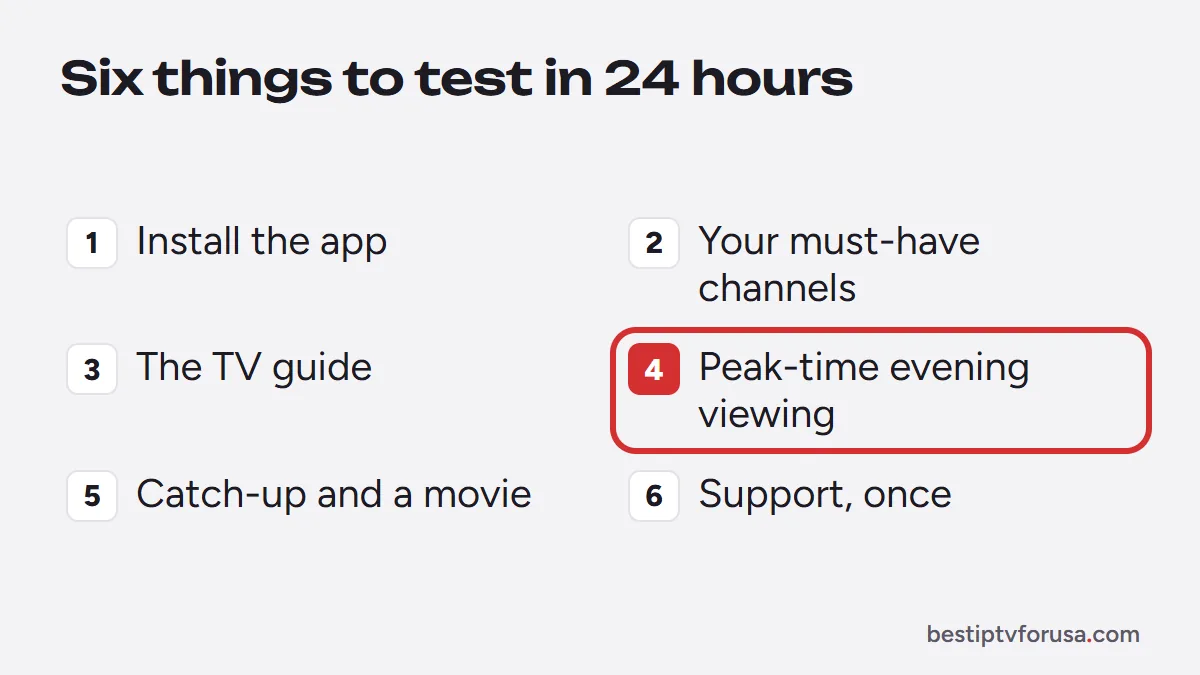
A focused test answers most questions in one day. Run these checks in order on the device you use most:
- Install and sign in. Install the player app on your main TV device and add the login from your trial email. Our setup guide has the steps for each device.
- Find your must-have channels. Search the categories you watch every week; our guide to IPTV channels explains how lineups are organized.
- Open the TV guide. Check that the current program is right on a few channels.
- Watch at peak time. Play a channel on a weekday evening, when demand is highest, and switch channels a few times.
- Try catch-up and movies. Replay a program from the guide on a channel that supports catch-up, then start a movie from the on-demand library.
- Contact support once. Ask a real question and note how fast and how clearly support answers.
If all six checks pass on your connection, a longer trial would rarely change your decision.
Plan when to start a 24-hour trial
A short trial works best when it covers the moments you care about. A little planning gets more out of 24 hours than an unplanned 72:
- Start in the late afternoon. The trial then covers your busiest evening and the next morning, the two times that test a service hardest and most often.
- Line it up with an event. If a game or a show matters to you, request the trial a few hours before it starts.
- Prepare the device first. Install the player app before you request the login, so the clock does not run while you look for a menu. Our setup guide lists the app for each device.
- Write down your must-have channels. A short list keeps the test focused on what you will really watch.
When a trial test fails but the service is fine
Some trial problems come from the home setup, not the service. Before you rule a provider out, check these common causes:
- Weak Wi-Fi. A stick behind the TV far from the router can buffer on any service. Test closer to the router or with a cable; our guide to internet speed for IPTV gives the numbers.
- Wrong login type. An M3U link may show live channels without movies or the guide; the Xtream Codes login loads everything.
- An old device. Older sticks struggle with 4K and large guides; try the HD version of a channel.
- A Fire TV Stick on Vega OS. The newest models only install Amazon Appstore apps, so some players cannot be installed at all.
If you are unsure, send support a short description during the trial: how fast they answer is part of the test.
Why some providers offer longer trials
A longer trial costs a provider more, so some use it as a selling point. The length itself is not a warning sign. What deserves attention is how the trial is set up:
- Card required. A trial that asks for card details may turn into a paid plan automatically when it ends. The US Federal Trade Commission warns that if you do not cancel on time, you will probably be charged (FTC consumer advice on free trials).
- Automatic renewal. Check whether the plan after the trial renews on its own and how to stop it.
- Paid “trials”. A small fee for a trial is a different offer from a free trial; read what it buys.
Our guide to legit IPTV services and scams lists the other red flags, such as payment methods you cannot dispute.
Testing more than one screen
Most free trials, including ours, work on one screen at a time. You can install the app on several devices and test them one after the other, but not play on two at once.
If your home needs several screens, check the plan instead: our plans cover 1 to 6 screens, and our guide to IPTV multiple connections shows how to count the screens you really need. If the paid service then does not work on one of your devices and support cannot fix it, you can ask for a refund within 48 hours of your purchase.
After the trial: refund and renewal terms to check
Before you pay, read three terms in writing:
- Refund window. Ours is 48 hours from purchase, if the service does not work on your device and support cannot fix it.
- Renewal. Our plans do not renew automatically; you choose when to renew.
- Payment. Prefer payment methods that let you dispute a charge.
When the trial and these terms check out, choose the plan length and number of screens on our IPTV subscription page, or start with the 24-hour free trial.
Questions people ask
Is a 72-hour IPTV trial better than 24 hours?
Only if you need the extra time to test something specific, such as a weekend game. In 24 hours you can test your device, your channels, the guide and an evening at peak time, which answers most questions.
Do IPTV free trials need a credit card?
Some do. Ours does not ask for a card, and nothing renews automatically. If a trial asks for card details, read how and when it turns into a paid plan before you accept.
Can I test several devices during the free trial?
Our trial works on one screen at a time. You can install the app on another device and test it after the first one stops playing.
What happens when the free trial ends?
The trial login simply stops working. Nothing is charged, because no card was asked for. To keep watching, you choose a plan.

Elmer Wenston writes the BestIPTVforUSA guides on IPTV setup, player apps and devices.