
By Elmer Wenston, updated . 5 min read.
IPTV multiple connections means more than one screen can play your IPTV service at the same time. One connection is one screen playing at a time: the living-room TV is one, a bedroom Fire TV playing at the same moment is a second. What matters is how many screens watch at once, not how many devices have the app. This guide shows how to count the connections your home needs, what happens when you go over and what each number of screens costs.
IPTV multiple connections: what a connection is
A connection is one stream at a time. Your login allows a set number of streams to play together; the provider’s server counts them while they play.
That means you can:
- install the player app on every TV, stick, phone and tablet in the house;
- watch on any of them, as long as no more screens play at the same moment than your plan allows;
- switch from the TV to your phone, because the TV stops counting shortly after it stops playing (it can take a minute or two).
Plans are sold by the number of screens for that reason. At BestIPTVforUSA, every plan length is available for 1 to 6 screens at once.
How to count the connections you need
Plans are sold by screen count, so count screens, not devices. Think of the busiest moment of your week, usually a weekday evening or a big game, and list every screen that plays at the same time.
| Household | Typical busiest moment | Connections |
|---|---|---|
| Couple | One TV, sometimes a phone in another room | 1 or 2 |
| Family of four | Living room, a teen’s room, a phone | 3 |
| Family with older kids | Living room, two bedrooms, a tablet | 4 |
| Shared house or large family | Several rooms on game night | 5 or 6 |
Then adjust:
- Add one if guests, a second home or a recurring event regularly adds a screen.
- Do not add one for devices that only watch when the main TV is off.
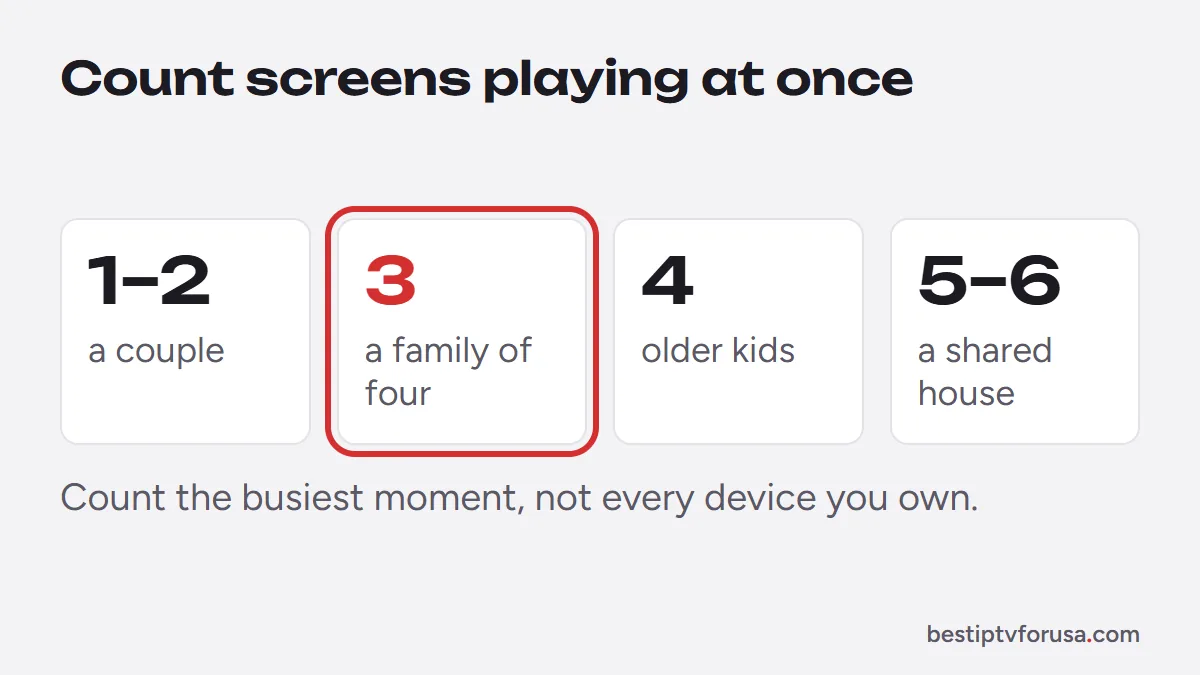
A quick test helps: on a busy evening, walk through the house and count the screens playing at the same moment. The free trial covers one screen, so use it to check picture quality on your main TV.
What happens when too many screens play
When one screen too many starts playing, the extra stream does not load, stops after a few seconds or shows an error, depending on the app. Usually the screens already playing continue. In IPTV Smarters, a message such as “failed to authorize” can appear; our guide to fixing IPTV Smarters “failed to authorize” lists the screen count among the causes to check.
To fix it, stop one of the other screens, or move to a plan with more connections. If it happens every week, your plan has fewer screens than your household uses.
Internet speed for several connections
Every screen playing uses its own share of your internet connection, so the needs add up. The FCC lists 5 to 8 Mbps for HD streaming and 25 Mbps for 4K (FCC Broadband Speed Guide). We suggest about 10 Mbps for each HD screen and 25 Mbps for each 4K screen, added together, to leave headroom.
For example, three HD screens and one 4K screen need about 30 + 25 = 55 Mbps when all four play at once. Our guide to internet speed for IPTV shows how to test your real speed on the device you watch on.
Managing several screens day to day
A few habits keep a multi-screen plan running smoothly:
- Stop playback when you leave a room. A screen counts while it plays. Closing the app or pressing stop frees the connection after a short delay; a TV left on a channel keeps using it.
- Movies, series and catch-up count too. Every stream counts as a connection, whether it is a live channel, an on-demand title or a replay from the guide.
- Use the same login everywhere. One Xtream Codes login works in TiviMate, IPTV Smarters and most players, so every screen shares the same plan.
- Know your busiest night. If a big game brings everyone in front of a different screen, that night decides your number, not an ordinary Tuesday.
- Change plans when your home changes. If the extra-screen error shows up every week, move up; if a screen has stopped being used, you can choose fewer screens when you buy your next plan.
Phones count like TVs. A phone playing in the kitchen while two TVs play in other rooms is three connections, even if nobody watches the phone closely.
Plans and prices by number of screens
BestIPTVforUSA plans come in five lengths, each for 1 to 6 screens at once. Prices for the shortest and longest plans:
| Screens at once | 3 months | 5 years |
|---|---|---|
| 1 | $30 | $250 |
| 2 | $50 | $400 |
| 3 | $65 | $525 |
| 4 | $80 | $650 |
| 5 | $90 | $750 |
| 6 | $100 | $850 |
Each extra screen costs less than the first, and longer plans cost less per month. You can try the service free for 24 hours on one screen before you buy; every plan includes a 48-hour money-back guarantee if the service does not work on your device and support cannot fix it, and never renews automatically. All lengths are on the IPTV subscription plans page, and our guide to IPTV prices compares them with typical market prices.
Choose your number of screens
When you compare plans, start with the count from your busiest evening, not the number of devices in the house. If you are unsure between two numbers, count again on your next busy evening and choose the higher number only if it happens most weeks. The 24-hour free trial runs on one screen, so use it to check the picture and your speed on the TV you watch most.
Questions people ask
Can I use one IPTV login on several devices?
Yes. You can install your player app on as many devices as you like. The number of connections limits how many of them can play at the same time.
What is the best IPTV plan for 5 connections?
Count the screens that play at once at your busiest moment before you pay for five. If you do need five, our 5-screen plans start at $90 for three months and cost less per month on longer plans.
Can I add a connection later?
Yes. Contact support to move to a plan with more screens; you do not need a new device or a new app.
Does each connection need its own internet speed?
Yes. Every screen playing uses its own share of your connection, so add up the speed each one needs.

Elmer Wenston writes the BestIPTVforUSA guides on IPTV setup, player apps and devices.