
By Elmer Wenston, updated . 5 min read.
IPTV VOD, short for video on demand, is the library part of an IPTV service: the movies and series you can start whenever you like. It sits next to the two other parts of IPTV, live channels that follow a schedule and catch-up that replays recent programs. VOD comes with the same login as your live TV, and where it appears depends on your app and your login type. This guide explains how it works and what to check when titles do not load.
Live TV, catch-up and VOD: the three parts of IPTV
| Part | What it is | When you watch | Where it appears |
|---|---|---|---|
| Live TV | Channels that follow a schedule | As it airs | Channel list and TV guide |
| Catch-up | Recent programs replayed from the guide, on channels that support it | After it aired, for a limited time | In the TV guide, on past programs |
| VOD | A library of movies and series | Whenever you like | Movies and Series sections, or the portal’s video section |
The difference matters when something does not work. A live channel that freezes is a streaming problem; a movie that will not start can be a login or app issue, covered below. Our guide to what IPTV is explains the live side in more detail, and our guide to IPTV with catch-up covers replays.
Where VOD appears in your player app
Where you find movies and series depends on how your app signs in.
- Xtream Codes login. Apps such as IPTV Smarters Pro show Live TV, Movies and Series as separate sections on the home screen. The provider’s server tells the app which entries are films and which are episodes, so they are sorted for you.
- M3U link. An M3U playlist is a single list. Depending on the provider and the app, movies and series may appear inside the channel list, grouped under category names. That is why some users see “VOD channels” in their channel list.
- Device activation apps. IBO Player Pro and similar apps receive the playlist from your provider; how VOD is sorted depends on the login type the provider attaches to your device.
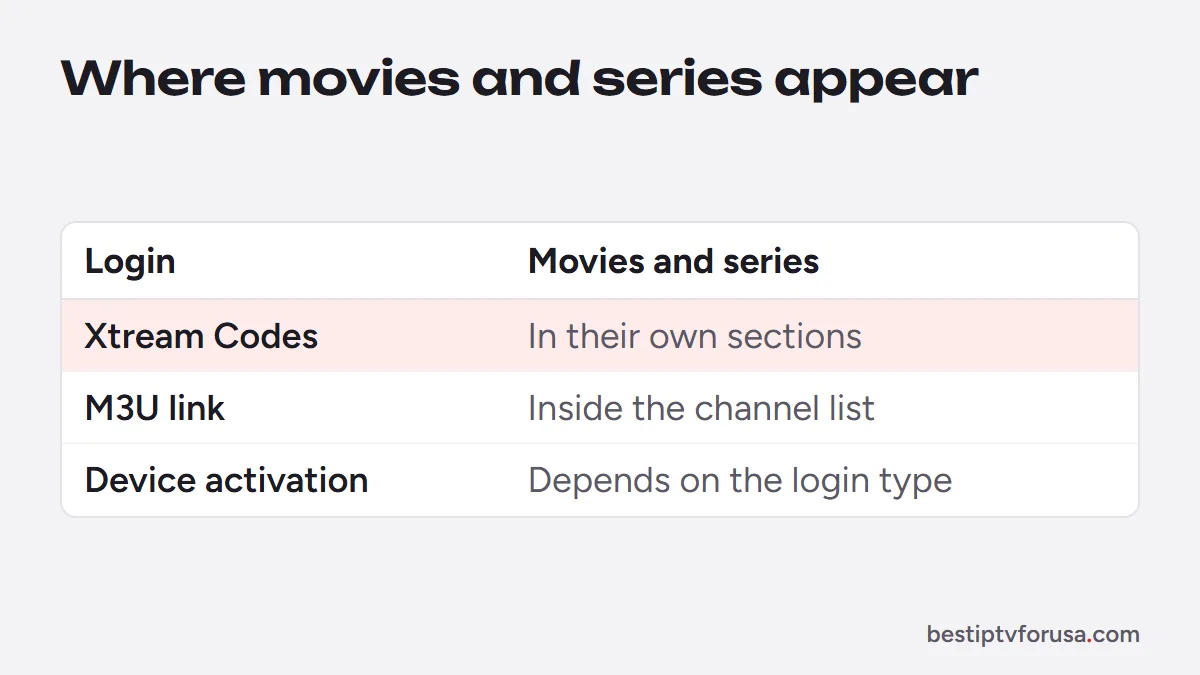
If you want movies and series in their own sections, ask your provider for an Xtream Codes login rather than an M3U link. Our comparison of Xtream Codes vs M3U explains which apps use which.
STB VOD on MAG and Formuler boxes
On a MAG box and in apps that emulate one, VOD lives in the portal itself. After you enter the portal URL and your provider registers your MAC address, the portal’s home screen shows a video section next to live TV. STB VOD simply means video on demand on a set-top box (STB). Its exact name and layout depend on the portal your provider uses, not on the box. Our MAG box guide covers the setup.
On a Formuler box, the MyTVOnline app shows on-demand titles in its own sections once your Xtream Codes login is added, in the same app as live TV and the guide. Our guide to the Formuler Z10 explains the setup on Formuler’s own app.
Why IPTV VOD does not load, and the fixes
| What you see | Likely cause | Fix |
|---|---|---|
| No Movies or Series section | Signed in with an M3U link | Ask your provider for an Xtream Codes login |
| Titles listed among channels | M3U playlist mixing live and VOD | Use Xtream Codes, or browse the VOD categories in the list |
| Sections empty after an update | Old app cache | Clear the app’s cache, or reinstall the app |
| Movie starts, then buffers | Connection too slow for the title’s quality | Use Ethernet or 5 GHz Wi-Fi; see the buffering guide |
| Some titles fail, others play | A problem with that title on the server | Report the title name to your provider’s support |
A 4K movie needs more bandwidth than an HD channel: the FCC lists 5 to 8 Mbps for HD streaming and 25 Mbps for 4K (FCC Broadband Speed Guide), so a connection that handles live TV can still struggle with a 4K title. Our IPTV buffering fixes go through each cause, and the speed checks apply to VOD as much as to live TV.
IPTV VOD vs on-demand streaming services
On-demand streaming services sell a library inside their own app, usually with a monthly subscription for that one library. IPTV VOD works differently: the library comes with your IPTV plan, under the same login as your live channels, and you watch it in the player app you already use for live TV.
That makes IPTV VOD convenient if you want one app for everything: switch from a live channel to a movie without changing app or account. What the library contains depends on each provider, so look at the plan description before you buy. BestIPTVforUSA plans include an on-demand library of films, series and documentaries, refreshed every week; the details are on the IPTV subscription plans page.
Try VOD before you choose
The quickest way to see how VOD works on your device is to try it. Request a 24-hour free trial, sign in with Xtream Codes in an app such as TiviMate or Smarters Player Lite, and open the Movies and Series sections. If you are setting up from scratch, how to get IPTV at home walks through the device, the app and the login in order.
During the trial, check three things: that Movies and Series appear as their own sections, that a title starts and plays smoothly on your connection, and that live TV and the guide still load when you switch back. If a 4K title buffers while HD plays well, compare your speed with the FCC figures above before you pick a plan, and ask support if a specific title never starts.
Questions people ask
What is VOD on IPTV?
VOD means video on demand: the movies and series in your IPTV service that you start whenever you like, as opposed to live channels that follow a schedule. It comes with the same login as live TV.
Do all IPTV plans include VOD?
It depends on the provider. Check the plan description before you pay. BestIPTVforUSA plans include an on-demand library of films, series and documentaries, refreshed every week, on every plan.
Why do VOD titles show as channels in my app?
Your app is probably reading an M3U link, where movies and series appear as entries in the same list as channels. Signing in with Xtream Codes instead lets apps such as IPTV Smarters Pro sort them into Movies and Series sections.

Elmer Wenston writes the BestIPTVforUSA guides on IPTV setup, player apps and devices.