
By Elmer Wenston, updated . 4 min read.
The IPTV EPG is the TV guide inside your player app: the grid that shows what is on each channel now and next, and further ahead where the listings allow. EPG stands for electronic program guide, the on-screen schedule that replaced printed TV listings. In IPTV the guide is delivered separately from the video streams, which is why the channels can work while the guide stays empty. If you are still setting up, start with how to get IPTV at home.
How the TV guide reaches your app
Your player app gets two things from your provider:
- The channel list, which says where each stream lives.
- The guide data, which lists programs, start times and descriptions for each channel.
The app then matches each channel to its listings using an ID. When the IDs match, the grid fills in. How the guide data arrives depends on your login:
- Xtream Codes login (server URL, username, password): the app asks the server for the guide itself, so it loads automatically. This is why we recommend Xtream Codes whenever your app supports it; see Xtream Codes vs M3U.
- M3U link: the playlist holds the channels but usually not the guide. You add a second link, often called the EPG or XMLTV link, in the app’s settings. Our guide to the M3U playlist shows what the
tvg-idvalue inside it does. - Device activation (IBO Player Pro, Hot Player): the guide normally arrives with the playlist that is activated on your device.
Why the IPTV EPG is empty, and how to fix it
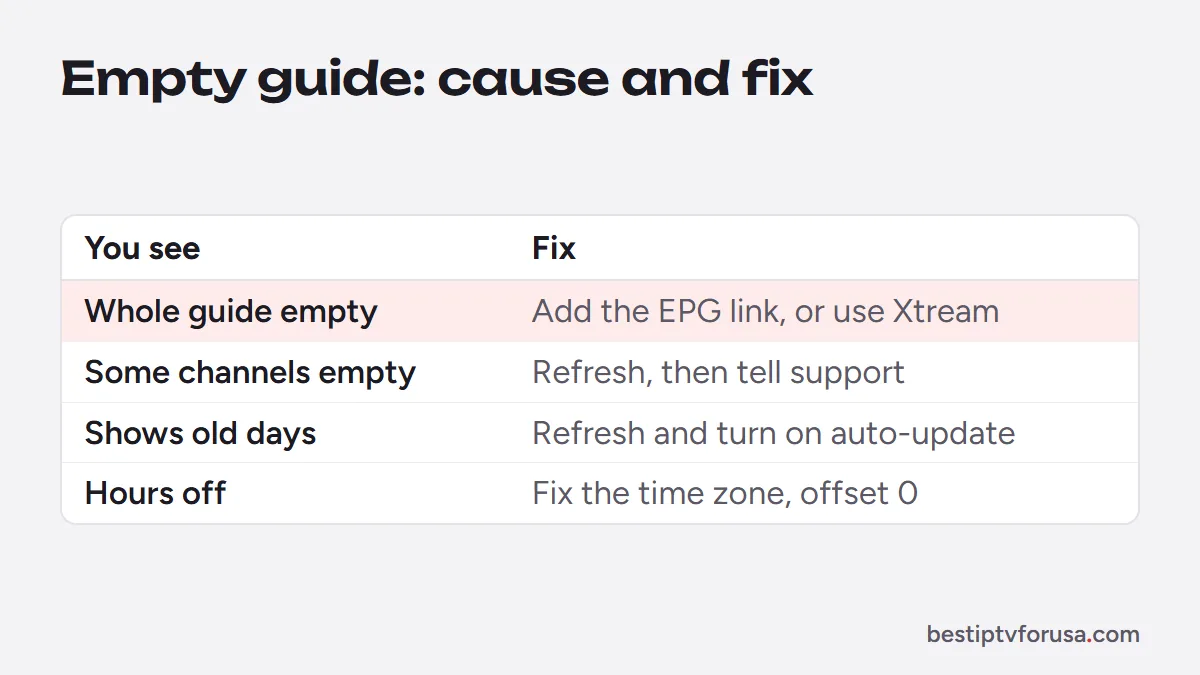
| Symptom | Likely cause | Fix |
|---|---|---|
| The whole guide is empty | Guide never loaded, or still loading after setup | Refresh the EPG in the app and wait a few minutes |
| Guide empty with an M3U login | No EPG link added | Add the EPG link from your provider, or sign in with Xtream Codes |
| Only some channels are empty | No listings for those channels, or their IDs do not match | Refresh first; if it persists, tell support which channels |
| Guide was fine, now shows old days | Automatic refresh is off or failed | Refresh manually and turn on automatic updates |
| Programs are a few hours off | Time zone or EPG offset setting | Fix the device time zone, set the app’s offset to zero |
Where to refresh the guide in popular apps
Menu names change between app versions, so look for the words below rather than an exact path:
- TiviMate: open the settings and look for the EPG section, where you can update the guide, choose how often it refreshes and set a time offset. The TiviMate setup guide covers the first setup.
- IPTV Smarters: look for an option to load, install or refresh the EPG from the live TV section or the settings. The IPTV Smarters guide covers the login that loads it.
- IBO Player Pro: restart the app after activation; if the guide stays empty, reload the playlist from the app’s settings. See the IBO Player Pro guide.
After any change, give the app a few minutes. Guide files can be large, and a slow stick needs time to read them.
Read the guide like a pro
Once the grid fills in, a few habits make it more useful:
- Use favorites. Add the channels you watch to a favorites group, so the guide opens on the ten channels you care about instead of hundreds.
- Look for the catch-up mark. On supported channels, past programs in the guide can be replayed; players usually show an icon or a different color for them.
- Check the info panel. Selecting a program usually shows its description and start time, which helps when two channels show similar titles.
- Search instead of scrolling. Most players can search the guide by title, which is faster than browsing with a remote.
Wrong times in the guide
A guide that is consistently one, two or three hours off is almost always a setting:
- Check the device’s own time zone in its system settings.
- In the player app, look for EPG time shift, time offset or timezone and set it to zero.
- Refresh the guide.
If you travel or live near a time zone border, the device’s clock is what the guide follows, so set it to where you watch.
The EPG on different devices
The guide looks different from one player to the next, because each app draws its own grid from the same listings:
- On a Fire TV or Android TV box, TiviMate shows the classic grid with channels down the side and time across the top, the layout closest to a cable box.
- On a Samsung or LG smart TV, layouts vary by app; some show a list rather than a grid. The smart TV guide shows which app suits your TV.
- On a phone or tablet, the guide is usually a list per channel, easier to scroll with a finger.
If the guide works on one device and not on another, the listings are fine: the problem is the app or its settings on that device, so refresh the EPG there first.
Do you need a third-party EPG?
Usually not. A guide from another source has to match your channels one by one, and when the IDs differ the grid fills with gaps. The guide supplied with your login is built for your channel list. Every IPTV subscription plan we sell includes the TV guide, and you can check that it fills in on your own device during the 24-hour free trial.
Questions people ask
What does EPG mean on a Firestick?
It is the TV guide inside your player app, such as TiviMate or IPTV Smarters. Fire TV itself does not provide it: the app downloads the listings for your channels and shows them in a grid.
How do I get my EPG to work on IPTV?
Sign in with Xtream Codes if your app supports it, because it loads the guide automatically. If you use an M3U link, add the EPG link from your provider in the app's settings, then refresh the guide and wait a few minutes.
What does 'EPG not available' mean?
The app has no listings for that channel. Either the guide has not been loaded or refreshed yet, or that channel has no listings in the guide source. Refresh the EPG first; if one channel stays empty, ask support.
Why are the times in my TV guide wrong?
The guide uses your device's clock and the app's time offset. Check that the device's time zone is correct, then look for an EPG time shift or offset setting in the player app and set it to zero.
What is the best EPG for IPTV?
The one that matches your channel list, which is normally the guide your provider supplies with your login. Third-party guide sources often fail to match channel IDs, which leaves gaps.

Elmer Wenston writes the BestIPTVforUSA guides on IPTV setup, player apps and devices.