
By Elmer Wenston, updated . 4 min read.
An Xtream IPTV player is any app that signs in with an Xtream Codes login: a server URL, a username and a password from your IPTV provider. Xtream is not one particular app. Many apps support the login, and many store apps from different developers also put “Xtream” in their name. This guide explains what the login does, which players to use on each device and how to check an app before you install it.
What an Xtream IPTV player is
Xtream Codes is a login format that many IPTV services use. Your provider gives you three details:
- a server URL, the address of the provider’s server, often with a port number;
- a username;
- a password.
With those three fields, the player app asks the server for everything on your account and sorts it for you: live TV with the TV guide, movies and series in their own sections, and catch-up on channels that support it. That is why Xtream Codes is usually the most complete way to sign in. The other common format, an M3U link, is a single address for the whole list. Our comparison of Xtream Codes vs M3U explains the differences and the other login types.
The best Xtream players by device
| Device | Recommended Xtream player | How it installs |
|---|---|---|
| Fire TV (Fire OS) | TiviMate | Downloader app |
| Android TV and Google TV | TiviMate | Google Play |
| Android phones and tablets | XCIPTV or TiviMate | Google Play |
| iPhone, iPad, Apple TV | Smarters Player Lite | App Store |
| Formuler boxes | MyTVOnline | Pre-installed |
Install routes come from our setup guides and the store listings we cite on the site. On Fire TV, note that new sticks running Vega OS, such as the Fire TV Stick 4K Select, only install Amazon Appstore apps, so the Downloader route does not work there; our best IPTV app for Firestick covers that case.
A few notes on each:
- TiviMate gives the most cable-like guide grid on TV devices.
- IPTV Smarters Pro was for years the best-known free Xtream player, but its developer’s download site and Google Play listing no longer respond (checked October 2026); Smarters Player Lite on Apple devices is still in the App Store.
- XCIPTV is often handed out by providers in a branded version with the server preset; its developer’s listing describes it as brandable for OTT providers (APKMirror). See our XCIPTV Player guide.
- Smarters Player Lite is the Apple version of IPTV Smarters, from the same developer; its App Store listing states that it does not provide any media content or TV channels.
Store apps named “Xtream”: check before installing
Search any app store for “Xtream” and you will see many apps with that word in the name. They come from many different developers and are not related to each other. Before you install one:
- Read the developer name on the listing and look it up.
- Read the in-app purchases. In a reputable player, an in-app purchase pays for app features, not channels; a player that sells channels inside the app is a warning sign.
- Check the content statement. Reputable players say plainly that they contain no media content.
- Avoid modified versions from unknown websites, which can carry unwanted software.
When in doubt, choose one of the players in the table above: they are the ones our setup guides document.
How to sign in with an Xtream login
Signing in takes a minute in any Xtream player:
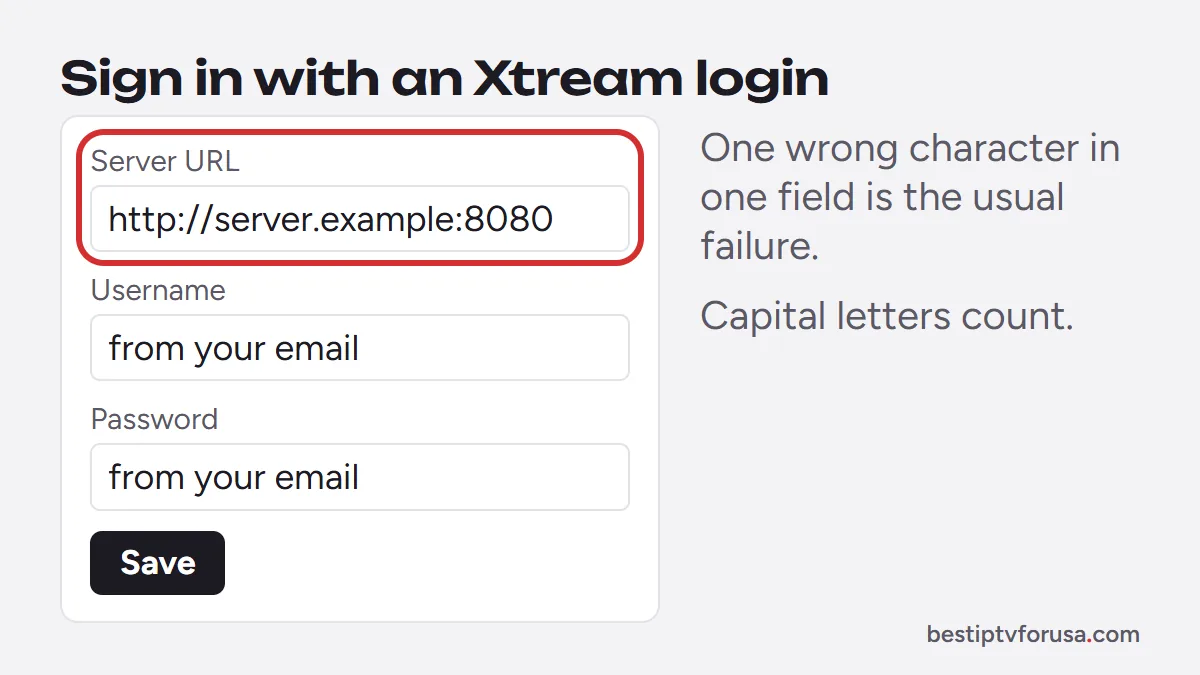
- Open the app and choose the option to add a playlist or user with Xtream Codes (sometimes labeled XC or Xtream Codes API).
- Type the server URL exactly as it appears in your email, including http:// and any port number after a colon.
- Type the username and password, paying attention to capital letters.
- Save and wait for the channel list, the guide, movies and series to load.
Most sign-in failures come from one wrong character in one of the three fields. If the app refuses the login, our guide to fixing IPTV Smarters “failed to authorize” goes through the usual causes, and they apply to every Xtream player.
Xtream login problems and fixes
| What you see | Likely cause | Fix |
|---|---|---|
| “Invalid” or “failed to authorize” | A wrong character in the server URL, username or password | Retype each field exactly, including http:// and the port |
| Login works, then stops when another screen plays | Too many screens at once for your plan | Stop one screen, or choose a plan with more connections |
| Channels load, movies and series missing | Signed in with an M3U link, not Xtream Codes | Use the Xtream Codes login from your email |
| Guide empty after signing in | Guide still loading | Wait a few minutes, then refresh the guide in the app |
| Login refused everywhere | Subscription expired or server address changed | Check your plan’s end date and contact your provider |
If one player accepts the login and another refuses it, the problem is the app; reinstall it from its official source. If every player refuses it, the problem is the login itself.
One login, several players
Because Xtream is a standard login, the same account works in every player above. You can use TiviMate on the living-room TV and Smarters Player Lite on an iPhone with one subscription. What limits you is the number of screens playing at the same time in your plan, explained in our guide to IPTV multiple connections.
Get an Xtream login to test
Request a 24-hour free trial: the welcome email includes an Xtream Codes login. Sign in to the player of your choice on your main TV and check the channels, the guide and the on-demand sections before choosing a plan.
Questions people ask
Which Xtream IPTV player is best for Firestick?
TiviMate, which has a free version and a full TV guide, installed with Downloader on Fire TV models running Fire OS. New Fire TV Sticks running Vega OS only install Amazon Appstore apps.
How do I get an Xtream code?
Your IPTV provider sends it in your welcome email: a server URL, a username and a password. A player app cannot create one; it only reads the login your provider gives you.
Is an Xtream IPTV player free?
Many are free or have a free version, and some charge a small fee for extra features. None of them include channels: those come from your IPTV subscription.
What is the difference between Xtream Codes and M3U?
Xtream Codes is a three-field login that lets the app sort live TV, movies and series and load the guide. An M3U link is one address for the whole list, usually with fewer features.

Elmer Wenston writes the BestIPTVforUSA guides on IPTV setup, player apps and devices.