
By Elmer Wenston, updated . 4 min read.
How to get IPTV at home comes down to four steps: check that your internet is fast enough, choose the device you will watch on, test and pick a provider, then install a player app and sign in. Everything happens over the internet connection you already have, so there is no technician, no satellite dish and no cable box to rent. If you want the background first, our guide to what IPTV is and how it works explains the basics in a few minutes.
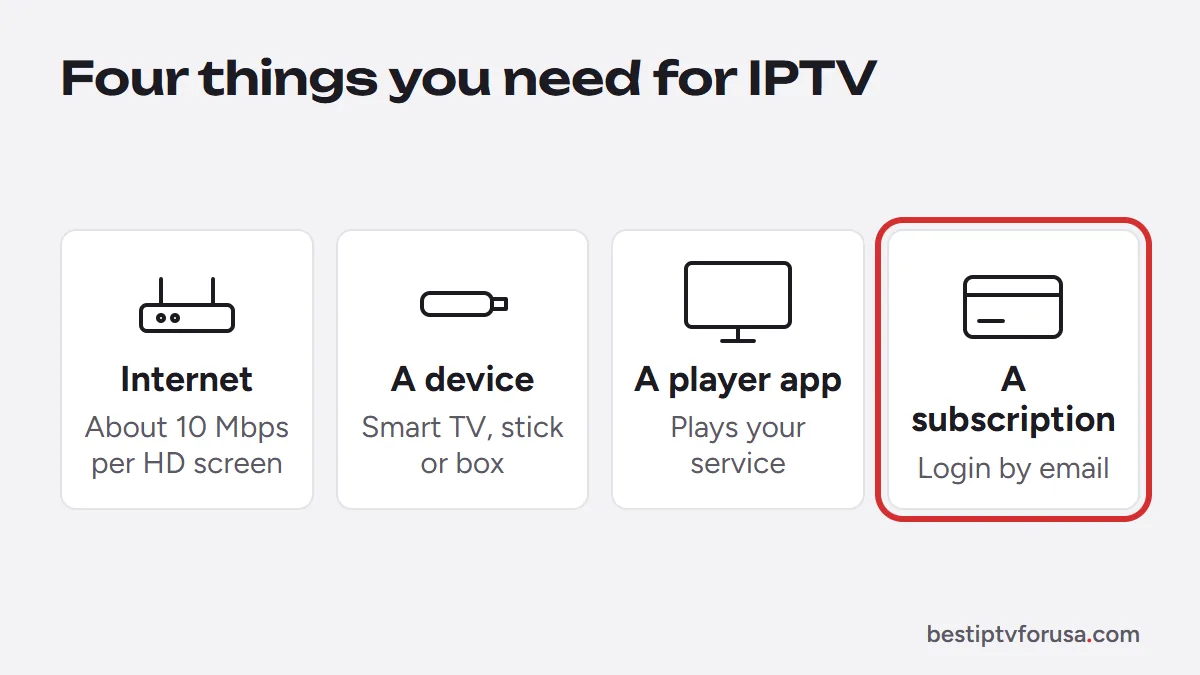
What you need to get IPTV
| You need | Details |
|---|---|
| Home internet | About 10 Mbps per HD screen, 15 Mbps per Full HD screen and 25 Mbps per 4K screen playing at once |
| A screen that runs a player app | Smart TV, Fire TV stick, Android TV or Google TV box, Apple TV, iPhone or iPad, computer; Roku with fewer options |
| A player app | TiviMate, IPTV Smarters, IBO Player Pro, Hot Player, UHF or VLC, depending on the device |
| An IPTV subscription | Its login arrives by email: Xtream Codes details, an M3U link, or a device ID activation |
Step 1: Check your internet speed
Run a speed test on the TV or stick you will use, in the room where you watch, at the time you usually watch. The FCC Broadband Speed Guide lists 5 to 8 Mbps for HD streaming and 25 Mbps for 4K; our figures add a margin for live TV. Add up the screens that will play at the same time: two HD TVs and a phone need about 30 Mbps, two 4K TVs about 50 Mbps, plus whatever else your home is using.
Wi-Fi is a common weak point. If you can, connect the TV or box with an Ethernet cable, or use 5 GHz Wi-Fi close to the router. Our guide to internet speed for IPTV covers the test and the fixes.
Step 2: Choose the device you will watch on
You probably own a suitable device already. Here is how they compare for IPTV:
| Device | Best player app | Setup |
|---|---|---|
| Fire TV Stick or Fire TV | TiviMate or IBO Player Pro | Installed with Downloader, about 10 minutes |
| Android TV or Google TV box | TiviMate | From Google Play, about 10 minutes |
| Samsung or LG smart TV | IBO Player Pro | From the TV’s app store, activated by device ID |
| Apple TV, iPhone or iPad | Smarters Player Lite or UHF | From the App Store, about 5 minutes |
| Roku | Hot Player, or a plug-in stick | From the Roku store |
| Windows PC or Mac | IBO Player or VLC | Desktop app, about 5 minutes |
| MAG or Formuler box | Built-in portal or MyTVOnline | Portal address or Xtream login |
If your TV is older or has no suitable app, a streaming stick plugged into a spare HDMI port is the simplest upgrade. Our comparison of IPTV boxes helps you choose one, and the best IPTV player apps guide explains the apps in the table.
Step 3: Choose an IPTV provider, and test it first
This is the step that decides whether the rest goes smoothly. Before paying anyone, check that the provider:
- offers a free trial on your own device;
- shows full prices and a written refund policy in public;
- answers support questions before you buy;
- takes payment through methods that let you dispute a charge, such as a card, Apple Pay or Google Pay.
Our checklist for choosing an IPTV service goes through each point, and our guide to legit IPTV services and red flags shows what to avoid. With BestIPTVforUSA you can start a 24-hour free trial without a card; your login usually arrives by email within minutes.
Step 4: Install a player app and sign in
Install the app recommended for your device, then sign in one of three ways:
- Xtream Codes: type the server URL, username and password from your welcome email. Used by TiviMate, IPTV Smarters, Smarters Player Lite and UHF.
- Device ID activation: the app shows a device ID (sometimes called a MAC address); you send it to support and the playlist is added to that device. Used by IBO Player Pro, ELK Player and Hot Player.
- M3U link: paste the playlist link from your email. Used by VLC and as an option in some apps.
Prefer Xtream Codes when your app supports it: the TV guide and the on-demand library load automatically. Our comparison of Xtream Codes vs M3U explains why. If the guide stays empty after sign-in, see IPTV EPG explained.
For step-by-step screens on each device, follow the setup guide, starting with IPTV on Firestick or IPTV on Samsung and LG TVs.
After setup: four quick checks
Before you choose a plan, spend an evening on the trial and check:
- The channels and categories your household watches, including any language or sports you care about.
- Picture stability at your busiest hour, usually in the evening.
- The TV guide and catch-up on the channels you use most.
- Each device you plan to use, one at a time, since a free trial usually covers one screen.
If something does not work, our step-by-step guide for when IPTV is not working finds the cause in a few minutes.
Choose your plan
When the trial suits you, pick the number of screens and the plan length on the IPTV subscription plans page. Plans are paid once, nothing renews automatically, and a 48-hour refund applies if the service does not work on your device and support cannot fix it.
Questions people ask
What do I need to set up IPTV?
Home internet of about 10 Mbps per HD screen, a device that runs a player app (smart TV, Fire TV, Android TV, Apple TV, phone or computer) and an IPTV subscription with its login. Nothing else: no dish, no cable box and no installer.
Can I install IPTV myself?
Yes. You install a player app from your device's app store or with Downloader on a Fire TV, then sign in with the login from your welcome email or send the device ID for activation. It takes about 10 to 15 minutes, and setup guides cover each device.
What is the best IPTV setup?
For most homes: a TV with a streaming stick or box connected by Ethernet or strong 5 GHz Wi-Fi, a player with a full TV guide such as TiviMate on Fire TV or Android TV, and an Xtream Codes login. On a Samsung or LG TV, IBO Player Pro with device activation is the simplest.
How do I set up IPTV on my TV?
Install the player app recommended for your TV, open it, and either type the server URL, username and password from your welcome email or send the device ID it shows. The channel list and TV guide usually load within a few minutes.
How much does it cost to get IPTV?
The subscription is the main cost: with BestIPTVforUSA, one screen costs $30 for 3 months or $75 for a year. Some player apps charge a small one-time license, and an older TV may need a streaming stick.

Elmer Wenston writes the BestIPTVforUSA guides on IPTV setup, player apps and devices.