
By Elmer Wenston, updated . 4 min read.
IBO Player not working is a common search, and the cause is usually simple. IBO Player Pro does not use a username and password: it identifies each TV or device by a device ID and key, and your provider adds your playlist to that ID. So when the app opens but shows no channels, says there is no playlist, or stops connecting, check four things in order: the activation and device ID, the playlist’s end date, the app you installed, and the device itself. This guide walks through each one, with the extra steps for Fire TV and Samsung or LG TVs. For login errors in apps that use a username and password, see our guide to IPTV Smarters “failed to authorize”.
IBO Player not working: check these four things first
| What you see | Likely cause | Fix |
|---|---|---|
| “No playlist” or an empty list | Device not activated yet | Send the device ID and key with your order email |
| Worked before, empty after a reinstall or reset | Device ID changed | Send the new device ID shown on the first screen |
| Channels stopped on every device | Playlist expired or service issue | Check your plan’s end date, then contact support |
| App name is not IBO Player Pro | A different IBO app | Install IBO Player Pro (Downloader code 923441) |
Playlist not loading or “no connection”
Check the activation. Open IBO Player Pro and look at its first screen: it shows a device ID (written like a MAC address) and a device key. If you never sent them, or sent them for another TV, the app has no playlist to load. Send both with your order email, or with your free trial request; we add your playlist to that device, usually within minutes. Our IBO Player Pro setup guide shows each screen.
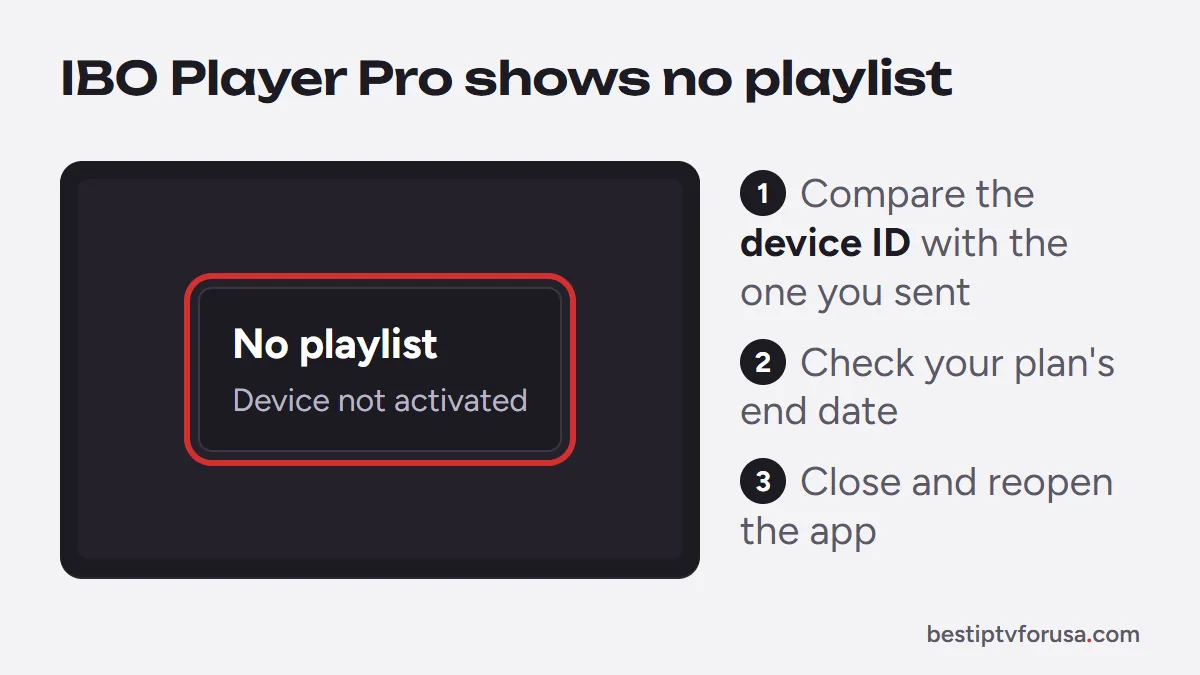
Compare the device ID. After a reinstall, a factory reset or a move to a new TV, the device ID can change. Compare the ID on the first screen with the one you sent. If it is different, send the new one.
Check the playlist’s end date. An expired plan stops the playlist in every app. Your end date is in your order email and account.
Restart the app. After an activation or a renewal, close IBO Player Pro completely and open it again so it reloads the playlist.
The wrong IBO app is installed
Search results and app stores show several apps with IBO in the name, each with its own activation. The one our setup covers is IBO Player Pro. On a Fire TV, it installs with the Downloader code 923441, the code its developer lists on its official app store, ibo.al. If the name on the first screen is different, uninstall that app and install IBO Player Pro; an activation made for one IBO app does not work in another. Our guide to the IBO Player Downloader code explains which app is which.
IBO Player not working on Firestick
If the app is activated but still fails on a Fire TV:
- Restart the Fire TV from Settings, My Fire TV, Restart, or unplug it for 30 seconds.
- Clear the cache in Settings, Applications, Manage Installed Applications, then IBO Player Pro, Clear cache.
- Free some storage. A nearly full stick slows down and can stop the playlist from loading; uninstall apps you do not use.
- Reinstall only if needed, with code 923441, then check the device ID and send it again if it changed.
The newest Fire TV Sticks run Vega OS and cannot install apps with Downloader; on those models, IBO Player Pro cannot be installed this way.
IBO Player not working on Samsung or LG TV
On a smart TV, the app comes from the TV’s own store:
- Update the TV software from its settings, then open the app again.
- Reinstall the app from the Samsung or LG app store if it will not open, then check the device ID.
- Restart the TV fully by unplugging it for a minute; standby is not a full restart.
Our Samsung and LG smart TV guide covers the install, and our guide to the best IPTV app for Samsung TV compares the alternatives if you want to switch.
Is IBO Player down?
If the app is activated and up to date but nothing loads, test the service itself: sign in on a second device or app with the same subscription. If it works there, the problem is the TV or the app. If it fails everywhere while other video plays fine, it is a service issue; our guide Is IPTV down? has a 2-minute check. In both cases, contact support with your device ID, the device and what you see: the device ID lets us check your activation right away.
Questions people ask
Why is my IBO Player not working?
Most often the device is not activated, its device ID changed after a reinstall or reset, the playlist has expired, or a different IBO app is installed. Check the device ID on the app's first screen and send it to support if it changed.
Why does IBO Player say there is no playlist?
The app shows no playlist until your provider adds one to that device ID. Send the device ID and key from the app's first screen with your order email, then restart the app.
How do I clear the cache on IBO Player?
On Fire TV, open Settings, Applications, Manage Installed Applications, select IBO Player Pro and choose Clear cache. On Android TV, open Settings, then Apps. Avoid Clear data unless support asks, since it can reset the app's settings.
Does reinstalling IBO Player change the device ID?
It can, depending on the device. After any reinstall or reset, compare the device ID on the first screen with the one you sent us, and send the new one if it is different.

Elmer Wenston writes the BestIPTVforUSA guides on IPTV setup, player apps and devices.