
By Elmer Wenston, updated . 6 min read.
The best IPTV service is not the one with the longest channel list; it is the one that plays smoothly on your own TV at 8 p.m., shows a working TV guide, publishes its prices and refund terms, and answers you when something breaks. You can check all of that before you pay. Use the ten points below on any provider, including us; our guide to the signs of a reliable IPTV service shows how to check them yourself.
Why a checklist beats a “top 10” list
Ranking sites rarely test a service in your home, on your internet and your devices. Two households can have opposite experiences with the same provider because of Wi-Fi quality, the player app or the device. A checklist puts you in control: you test what matters to you and keep a record of what each provider promised.
If you are new to how IPTV works, start with our short guide on what IPTV is and what you need, then come back here.
The 10-point checklist
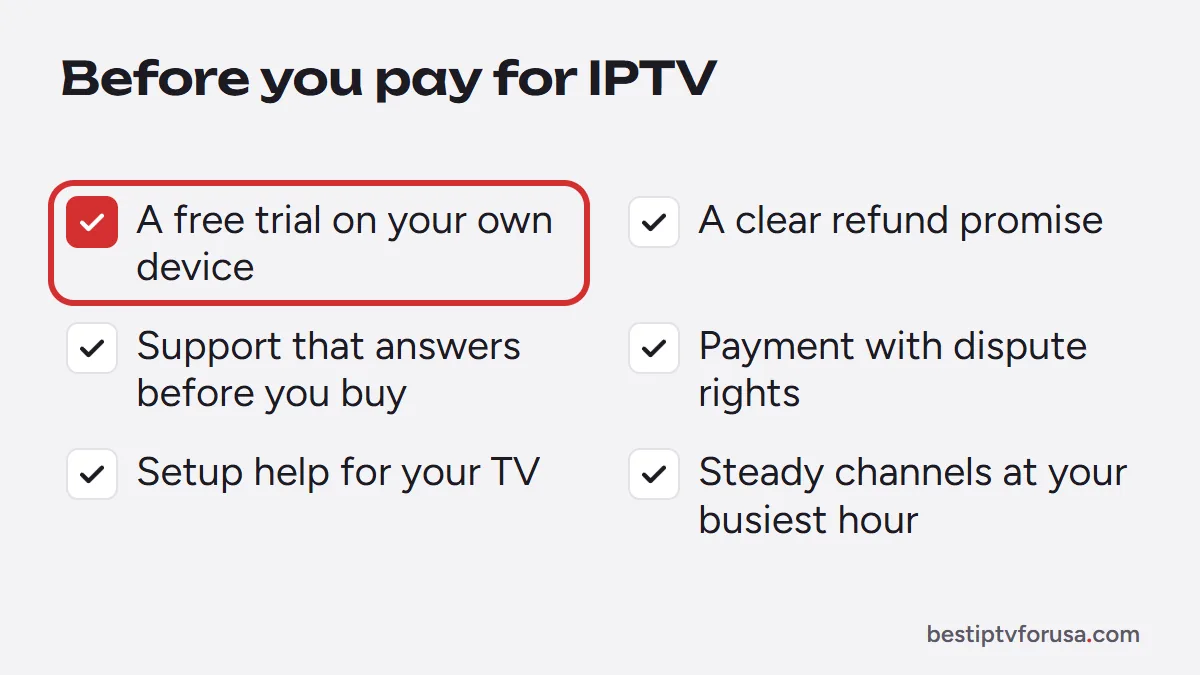
1. A free trial on your own device
A trial is the only real proof. Look for one that runs long enough to cover an evening, gives you the full service rather than a demo, and does not ask for a card. During the trial, test live TV at your busiest hour, open the TV guide, start a movie, and try each screen you plan to use, one at a time.
2. A clear refund promise
Read the refund terms before you order, not after. A good policy says how long you have, what qualifies, and how to ask. Be wary of “all sales final” on a service you cannot try first. Our own promise, for example, is a refund within 48 hours if the service does not work on your device and support cannot fix it.
3. Support you can reach before you buy
Send a simple question before you pay: “Which app should I use on my TV?” Note how long the reply takes and whether it actually answers you. Support by email and chat at any hour matters more with IPTV than with most services, because problems tend to appear in the evening and on weekends.
4. Your devices are supported, with setup guides
Check that the provider explains how to set up the service on the exact device you own: Fire TV, a Samsung or LG smart TV, Apple TV, an Android TV box, a MAG box or a computer. Written, device-by-device instructions, like our setup guide for every device, save you hours.
5. The login types you need
Providers send logins in different forms. The common ones are:
- Xtream Codes: a server URL, a username and a password. Works in most player apps and loads the guide and library automatically.
- Device activation: you send the MAC address or device ID that apps such as IBO Player Pro or Hot Player display.
- M3U link: one long link that holds your playlist.
- MAG portal URL: for MAG boxes and STB Emulator.
A provider that supports several login types gives you more freedom to change apps or devices later.
6. Enough screens for your household
Count how many screens play at the same time on a normal evening, not how many devices you own. A plan for one screen will refuse a second device that starts playing. Check that the provider offers plans for more screens and publishes their price.
7. Transparent prices and no surprise renewals
The full price should be on the website before you start checkout: the plan length, the number of screens and the total. Also look for what happens at the end of the plan. Some services renew automatically; others, like ours, never renew on their own, so nothing is charged unless you choose to buy again. Our guide to what IPTV costs explains what a fair price looks like.
8. Safe payment methods
Prefer payment methods that give you a way to dispute a charge, such as a credit card or a wallet like Apple Pay or Google Pay through a secure payment link. Be careful when a provider you do not know yet accepts only gift cards, money transfer apps or crypto. The red flags guide covers this in detail.
9. Picture quality and features you will use
Check the features you actually need during the trial:
- a TV guide (EPG) that fills in and shows the right times;
- catch-up on channels that support it, if you like to restart programs;
- movies and series on demand;
- HD or 4K where the source is 4K, if you have a 4K TV and the bandwidth. Our 4K IPTV guide lists what each link in the chain needs.
10. A copyright contact (DMCA page)
A responsible provider publishes a way for rights holders to report a problem, usually a DMCA or copyright notice page. In the US, online services can register a designated agent to receive these notices with the US Copyright Office DMCA Designated Agent Directory. A provider with no copyright contact at all is telling you something about how it operates.
Score providers side by side
Fill this in during each trial. A provider that misses any of the first three rows is not worth paying, however good the price looks.
| Check | What a good provider does | Warning sign |
|---|---|---|
| Free trial | Full service, long enough for an evening, no card | No trial, or a paid “test” |
| Refund policy | Written, time-limited, easy to request | “All sales final” or no policy at all |
| Support | Replies within minutes or hours, answers the question | No reply, or only a sales message |
| Device setup | Guides for your exact device | “Works on everything” with no instructions |
| Screens | Plans for several screens, priced openly | Extra screens only on request |
| Price | Full total shown before checkout | Price only “in private message” |
| Renewal | Clear about automatic renewal, or none | Card stored and charged without notice |
| Payment | Card or wallet with dispute rights available | Gift cards or crypto only |
| Copyright contact | DMCA page or copyright contact | None |
How to run a fair test in 24 hours
A day is enough if you plan it. Here is a simple order that covers the points above:
- Morning: install the player app the provider recommends and sign in. Note how long setup takes and whether the guide loads.
- Afternoon: start a movie and a series episode, then check the TV guide times against your clock.
- Evening: watch live TV during your busiest hour, ideally a live sports broadcast, which shows buffering first. If you watch sports often, our IPTV for sports page lists what to look for.
- Before bed: try the app on the other devices you plan to use, one at a time, and send support one question. Trials often cover one screen, so check how many screens your plan will need before you buy.
Check your connection too. The FCC lists 5 to 8 Mbps for HD streaming and 25 Mbps for 4K in its Broadband Speed Guide; we suggest about 10 Mbps per HD screen to leave headroom. If the service buffers on a slow Wi-Fi connection, try a wired connection before you blame the provider.
Trial passed? Choose your plan length
Once a provider passes, start with a short plan, then move to a longer one at a lower monthly cost when you are sure. If you are weighing IPTV against what you pay now, our comparison of IPTV vs cable TV puts the costs and contracts side by side.
You can run this whole checklist on BestIPTVforUSA with our 24-hour free trial: one screen, no card, the full service. If it passes, our plans and prices start at $30 for three months.
Questions people ask
What is the best IPTV service in the USA?
There is no single answer for every home. The best service for you is the one that passes a free trial on your own TV, at the hours you watch, on the number of screens you need, with clear prices, a refund policy and support that answers.
How long should an IPTV free trial be?
A full day is enough to test live TV in the evening, the TV guide, on-demand titles and every device you plan to use. Shorter tests rarely cover the busy hours when problems show up. Our guide on 24 vs 72-hour trials has a one-day test plan.
Should I choose a provider that offers a 1-month plan or a long plan?
Start short. After a trial, a three-month plan lets you confirm the service over several weeks before you commit to a year or more at a lower monthly cost.
Which player app should I use with an IPTV service?
It depends on your device. TiviMate suits Fire TV and Android TV, Smarters Player Lite suits Apple devices, and IBO Player Pro or Hot Player suit smart TVs. A good provider tells you which one to use on your screen.
Do I need a VPN to use IPTV?
No, a VPN is not required to watch. Some people use one for privacy, but it can slow the stream or be refused by the server, so test with and without it during your trial.

Elmer Wenston writes the BestIPTVforUSA guides on IPTV setup, player apps and devices.