
By Elmer Wenston, updated . 3 min read.
Google TV IPTV works well, because Google TV runs Android apps from Google Play. TiviMate, Hot Player and ELK Player install like any other app, and IBO Player Pro installs with the free Downloader app and a short code. The one exception is the older Chromecast without a remote: it runs no apps and can only receive a cast from your phone. This guide shows which Google TV device you have, which IPTV app to install and how to set it up. It is part of our guide to smart TV apps, which starts with the best IPTV app for Samsung TV.
Which Google TV devices work
Most devices sold with Google TV run IPTV players directly:
- Google TV Streamer, Google’s current streaming box (Google Store).
- Chromecast with Google TV, the stick with a remote.
- TVs with Google TV built in, from several TV makers.
- Android TV boxes, including the NVIDIA Shield, which use the same apps.
Older Chromecasts without a remote are different: they have no app store and run no apps. They only play what you cast from a phone, tablet or computer.
Google TV IPTV apps: the best players
These players work with your IPTV subscription on Google TV. All of them show your channels; none comes with channels of its own:
| App | How to install | How you sign in |
|---|---|---|
| TiviMate | Google Play | Xtream Codes or M3U |
| Hot Player | Google Play | MAC address on its first screen, activated for you |
| ELK Player | Google Play | Device ID and key, activated for you |
| IBO Player Pro | Downloader, code 923441 | Device ID and key, activated for you |
TiviMate’s Google Play listing notes that the app is designed for Android TV and remote navigation, and Hot Player’s developer lists Google Play among its download places (hotplayer.app). The IBO Player Pro code is the one its developer lists on its official app store (ibo.al); see our guide to the IBO Player Downloader code.
How to install an IPTV app on Google TV
For an app in Google Play:
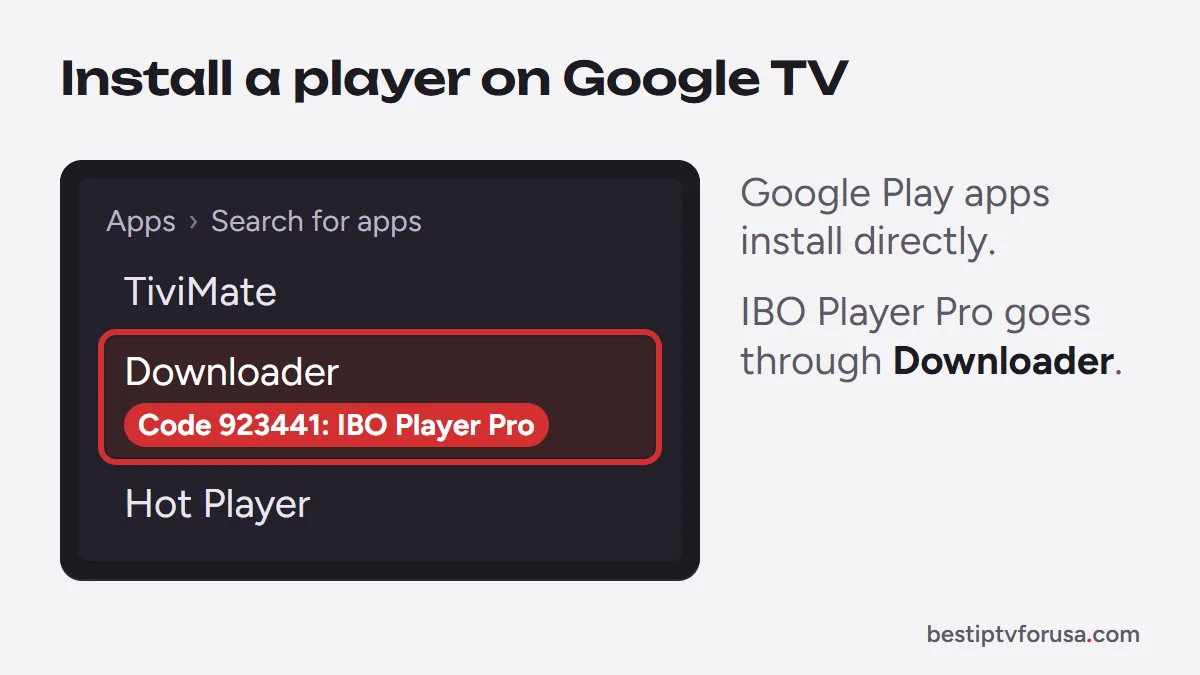
- Open Apps on the Google TV home screen, then Search for apps.
- Type the player’s name, select it and choose Install.
- Open it and sign in with the login from your welcome email, or note the device ID and send it to us.
For IBO Player Pro, which installs with Downloader:
- Install Downloader from Google Play and open it.
- Allow it to install apps when Google TV asks.
- Type 923441, install IBO Player Pro, then send us the device ID it shows.
Our Android TV and Google TV setup guide has the full steps for each app, and our TiviMate Downloader code guide covers TiviMate on other Android devices.
Can I install IPTV Smarters on Google TV?
Not from an official source. When we checked in October 2026, the developer’s download site and the IPTV Smarters Pro listing on Google Play no longer responded. Apps with “Smarters” in the name that appear in search results come from other developers, so check the developer before installing.
Install TiviMate, IBO Player Pro or ELK Player instead; they sign in with the same subscription. Our guide to IPTV Smarters Pro not working explains the situation.
Casting IPTV to a Chromecast
With an older Chromecast, or to show something quickly on a TV, you can cast from a phone:
- The phone app must support casting. Not every IPTV player does; look for the cast icon in the app.
- The phone stays in charge. Playback depends on the phone staying on and connected to the same Wi-Fi.
- The guide stays on the phone. You browse and switch channels there, not with a TV remote.
For daily viewing, a Google TV device that runs the app itself is far smoother. If you are choosing a device, our comparison of Fire TV vs Google TV explains why Google TV is the safer pick for IPTV in 2026.
Before you start
A few points help the first setup go smoothly:
- Use the Xtream Codes login in players that accept it; it loads live TV, movies, series and the guide in separate sections.
- Prefer a wired connection if your device supports Ethernet, especially for 4K.
- Each device playing counts as a screen on your plan.
To test your Google TV before choosing a plan, request the 24-hour free trial and sign in with the login we send you.
Questions people ask
Can you get IPTV on a Google TV?
Yes. Install a player app from Google Play, such as TiviMate, Hot Player or ELK Player, then sign in with your login or send us the device ID. Your channels come from your IPTV subscription.
What is the best IPTV app for Google TV?
TiviMate for the most cable-like TV guide, IBO Player Pro or ELK Player if you prefer activation by device ID with nothing to type, and Hot Player if you want one app that also runs on Roku and smart TVs.
Can I use IPTV on an old Chromecast?
A Chromecast without a remote runs no apps of its own. You can cast from a phone app that supports casting, but the phone must stay on. A Chromecast with Google TV, or a newer Google TV device, runs the apps directly.
Can I install IPTV Smarters on Google TV?
Not from an official source in October 2026: the developer's download site and Google Play listing no longer respond. Install TiviMate, IBO Player Pro or ELK Player instead; they use the same subscription.

Elmer Wenston writes the BestIPTVforUSA guides on IPTV setup, player apps and devices.