
By Elmer Wenston, updated . 4 min read.
Fire TV vs Google TV for IPTV used to be a close call; it changed in late 2025. Google TV devices install IPTV player apps from Google Play, which also keeps them updated. Fire TV models running Fire OS install most players with the free Downloader app and work well. But new Fire TV Sticks now run Amazon’s Vega OS, which only installs apps from the Amazon Appstore, and that rules out most IPTV players. This guide compares the two platforms for IPTV and tells you which to choose.
Fire TV and Google TV in one minute
Fire TV is Amazon’s platform. Most Fire TV devices run Fire OS, which is based on Android, and get apps from the Amazon Appstore. Since the Fire TV Stick 4K Select launched in October 2025, new sticks run Vega OS, Amazon’s own system. Amazon’s developer site states that, starting with that model, all future Fire TV Sticks will run Vega; the new Fire TV Stick HD runs it too, while the Fire TV Stick 4K Plus and 4K Max still run Fire OS (Cord Busters, AFTVnews).
Google TV is Google’s interface for Android TV devices, found on streaming boxes such as Google’s own Google TV Streamer and on many smart TVs and third-party boxes. It gets apps from Google Play.
The difference that matters for IPTV is simple: where the player apps come from, and whether you can install them at all.
Which IPTV apps run on each
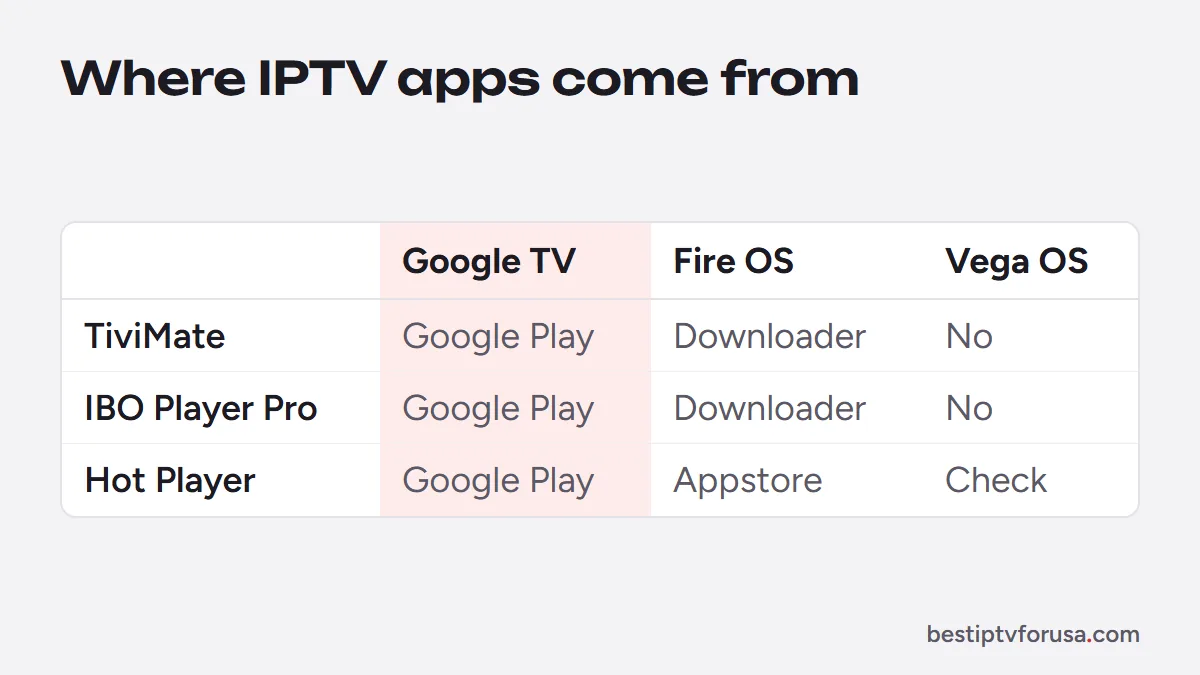
| Player app | Google TV and Android TV | Fire TV (Fire OS) | Fire TV (Vega OS) |
|---|---|---|---|
| TiviMate | Google Play | Downloader | Not installable with Downloader |
| IBO Player Pro | Google Play | Downloader | Not installable with Downloader |
| Hot Player | Google Play | Amazon Appstore | Check the Appstore on your stick |
| Kodi | kodi.tv or your device’s app store | Downloader | Not installable with Downloader |
Install routes come from our setup guides. On Vega OS, AFTVnews reports that you “can’t download and install apps from alternate sources,” and Amazon’s product page states that “only apps from the Amazon Appstore are available for download” (AFTVnews). Which players appear in the Vega Appstore can change, so check the store on your own stick.
Setup effort and updates
On Google TV, installing a player is like installing any app: search, select Install, done. Google Play updates the app in the background, so bug fixes and new features arrive on their own.
On a Fire TV running Fire OS, the first installation takes a few more steps: install Downloader from the Appstore, allow it to install apps in Developer Options, then enter the player’s code. Our Downloader codes guide lists them. Apps installed this way do not update through the Appstore, so you repeat the Downloader step when a new version is out.
Neither route is hard, and once the player is installed, IPTV works the same way on both: you sign in with your login and watch.
Hardware that matters for IPTV
For a steady picture, three things matter more than the logo on the box:
- A wired connection option. Ethernet is the most reliable way to stream. Google lists a Gigabit Ethernet port on its Google TV Streamer; streaming sticks usually need an Ethernet adapter.
- Storage. Player apps and their TV guides take space, so leave room for them and for updates.
- 4K and HDR. If you have a 4K TV, choose a 4K-capable device and check our 4K IPTV guide for what else the picture needs.
Which to choose
- You already own a Fire TV running Fire OS: keep it. Install your player with Downloader and follow our Firestick setup guide.
- You are buying a new device for IPTV: a Google TV device, or a Fire TV Stick 4K Plus or 4K Max while they run Fire OS. Our guide to the best Android TV box for IPTV covers the Google TV side.
- You own a Fire TV Stick 4K Select or the newest Fire TV Stick HD: look for a player in the Amazon Appstore, such as Hot Player; if none suits you, add a Google TV device.
- You want the simplest setup and automatic updates: Google TV.
For app choices on Fire TV, see the best IPTV app for Firestick; for the service itself, the best IPTV for Firestick.
Moving from a Fire TV to Google TV
Switching platforms does not mean changing your IPTV service. The same subscription works on both; only the apps are installed again:
- Install the player from Google Play on the new device.
- Sign in again. With an Xtream Codes login, type the same server URL, username and password. With a player activated by device ID or MAC address, such as IBO Player Pro or Hot Player, the new device shows a new ID: send it to your provider so it can be activated.
- Free the old screen. Stop playback on the old Fire TV, or uninstall the player there, so it does not count against the number of screens in your plan.
Favorites and guide settings usually stay in the app on the old device, so plan to set them up again on the new one. Our Android TV and Google TV setup guide covers the installation step by step.
Try it on the device you have
Whichever platform you use, test before you choose a plan: request a 24-hour free trial, install a player on your device and check the channels, the guide and the picture on your own connection.
Questions people ask
Is Google TV better than Fire TV for IPTV?
For a new purchase, usually yes: most IPTV players install from Google Play and update on their own. A Fire TV running Fire OS works just as well once the player is installed, but new Fire TV Sticks running Vega OS only install Amazon Appstore apps.
Can I install IPTV apps on the Fire TV Stick 4K Select?
Not with Downloader. The 4K Select runs Vega OS, where only apps from the Amazon Appstore can be installed. Check the Appstore for a player such as Hot Player, or choose a Fire OS model or a Google TV device.
Is there a monthly fee for Fire TV or Google TV?
No. Neither platform charges a monthly fee to use the device. You pay for the services you sign in to, such as your IPTV plan.
What is the downside of Fire TV for IPTV?
On Fire OS models, players install with Downloader and you update them by hand. On the newest Vega OS sticks, most IPTV players cannot be installed at all.

Elmer Wenston writes the BestIPTVforUSA guides on IPTV setup, player apps and devices.