
By Elmer Wenston, updated . 3 min read.
The IBO Player Downloader code for IBO Player Pro is 923441. It is the code the developer lists for IBO Player Pro on its official app store, ibo.al, which we checked in October 2026, and it opens the app’s download file on the developer’s own server. It works on Fire TV models running Fire OS. Because several apps carry the IBO name, each with a different code, this guide explains which one to install, how to set it up on a Fire TV and how we activate it for you. It is part of our list of Downloader codes for IPTV player apps.
The IBO Player Pro Downloader code
Type 923441 in the Downloader app to download IBO Player Pro. Downloader, made by AFTVnews, turns the code into a web address and opens it; the code itself contains nothing.
Before the download starts, Downloader shows the address it opens. For 923441, it is a file named for IBO Player Pro on the developer’s download server. If you ever see a different site, stop and check the code you typed.
IBO Player, IBO Player Pro, IBO Pro Player: which one?
Search results for IBO Player mix several apps with similar names. The developer’s own store lists more than one IBO app, each with its own Downloader code, and other developers publish apps with close names too. They are separate apps with separate activations.
The one our setup covers is IBO Player Pro, code 923441. After installing, check the app name on its first screen. If it says something else, uninstall it and install IBO Player Pro instead; an activation made for one IBO app does not carry over to another.
Install IBO Player Pro on a Fire TV
On a Fire TV running Fire OS, the steps take about five minutes:
- Install Downloader. Search for Downloader in the Amazon Appstore and install it.
- Allow it to install apps. In Settings, open My Fire TV, then Developer Options, and allow Downloader to install unknown apps. If Developer Options is hidden, our Firestick setup guide shows how to reveal it.
- Enter the code. Open Downloader, select the address field, type 923441 and confirm.
- Install. When the download ends, choose Install, then Done.
- Delete the file. Downloader offers to delete the installation file; accept to free storage. IBO Player Pro stays installed.
The newest Fire TV Sticks run Vega OS and only install Amazon Appstore apps, so no Downloader code works on them (AFTVnews).
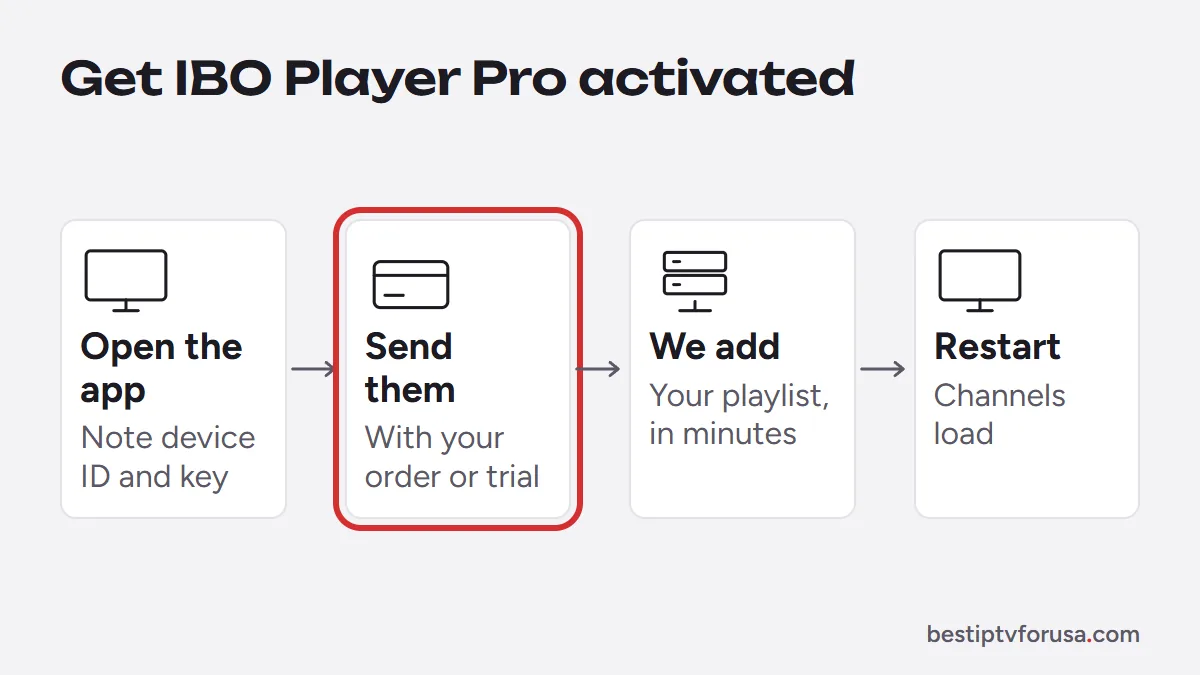
Get IBO Player Pro activated
IBO Player Pro does not ask you to type a login. Instead, it identifies your TV:
- Open the app. Its first screen shows a device ID (written like a MAC address) and a device key.
- Send both to us with your order email, or with your free trial request.
- We add your playlist to that device, usually within minutes.
- Restart the app. Your channels, TV guide and on-demand library load.
The app itself starts with a free trial; after that, the developer charges a one-time fee per device, separate from your IPTV plan. Our IBO Player Pro setup guide covers activation in detail.
On Android TV, smart TVs and Apple devices
IBO Player Pro runs on more than Fire TV, with a different install on each:
- Android TV and Google TV: install it with Downloader and the same code, as our Android TV guide shows.
- Samsung and LG TVs: install it from the TV’s app store; see the smart TV guide.
- Apple TV, iPhone and iPad: install it from the App Store; see the Apple guide.
Activation works the same way everywhere: each device shows its own ID and key.
When the code does not work
If 923441 does not lead to an installation, check these causes (for problems after installing, see IBO Player not working):
- A typo. Retype the code; Downloader shows the address it opened.
- A different IBO app installed. Check the app name on its first screen.
- A Vega OS Fire TV. These models cannot install apps with Downloader.
- Full storage. Delete unused apps and old installation files, then try again.
Still choosing a player? Our comparison of the best IPTV app for Firestick puts IBO Player Pro next to TiviMate and the others. To try it with your own TV, request the 24-hour free trial and send us the device ID.
Questions people ask
What is the Downloader code for IBO Player Pro?
923441. It is the code the developer lists for IBO Player Pro on its official app store, ibo.al (checked October 2026). Other IBO apps have different codes.
Is IBO Player Pro free?
It starts with a free trial; after that, the developer charges a one-time fee per device. The price is set by the developer, not by us, and is separate from your IPTV plan.
Which IBO app should I install?
IBO Player Pro, with code 923441. It is the app our activation steps cover. If you installed another IBO app by mistake, uninstall it and install IBO Player Pro instead.
Can I use IBO Player Pro on several TVs?
Yes, but each TV has its own device ID, so each one is activated separately. How many can play at once depends on the number of screens in your plan.

Elmer Wenston writes the BestIPTVforUSA guides on IPTV setup, player apps and devices.