
By Elmer Wenston, updated . 4 min read.
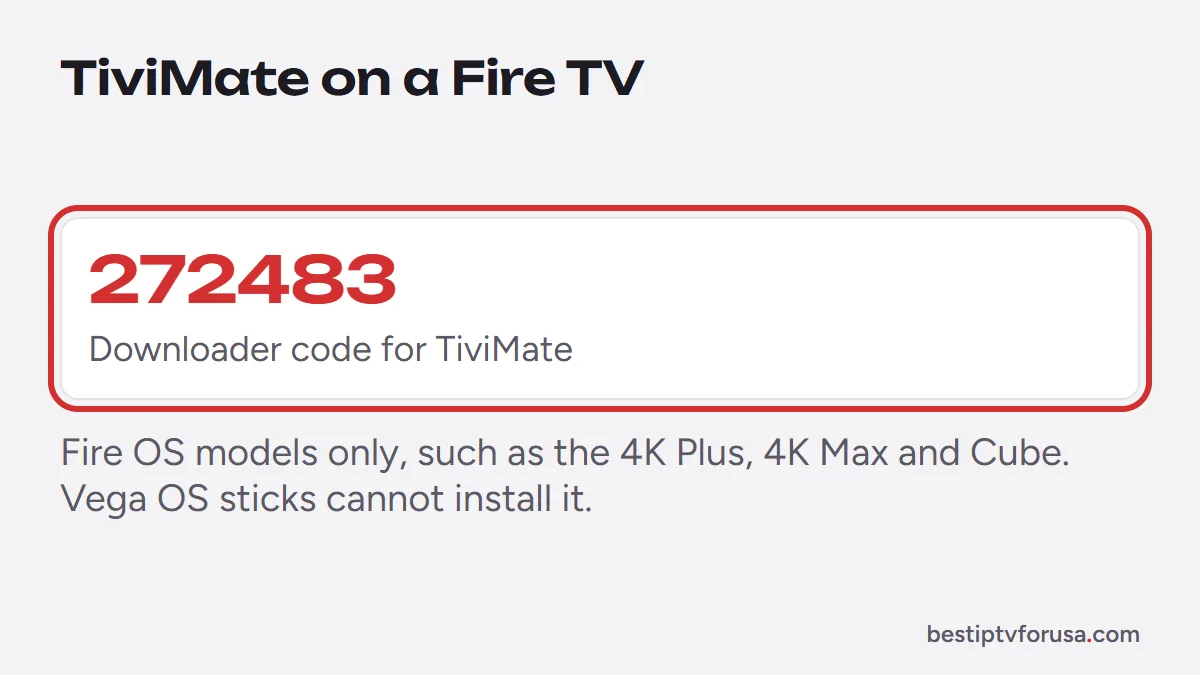
The TiviMate Downloader code our guides use is 272483. Type it in the Downloader app on a Fire TV and it opens TiviMate’s official download address, tivimate.com/download, so you do not have to type the address with the remote. If the code ever fails, type tivimate.com/download in full instead. The method works on Fire TV models running Fire OS; the newest Vega OS sticks only install apps from the Amazon Appstore. This guide gives the code, the install steps and the fixes when it does not work.
The TiviMate Downloader code
| What to type in Downloader | What it opens |
|---|---|
| 272483 | TiviMate’s official download page |
| tivimate.com/download | The same page, typed in full |
Downloader codes are short links: AFTVnews, the maker of the Downloader app, runs a URL shortener that turns a long web address into a few digits for Fire TV and Android TV remotes. The code is only a shortcut to the address, so typing the address still works if a code changes. Our list of Downloader codes for IPTV player apps gives the codes for the other players we support.
Only use codes that lead to the official address. A code from an unknown list can open a modified version of the app, which may carry unwanted software and will not receive updates.
How to install TiviMate on a Firestick with Downloader
These steps work on Fire TV models running Fire OS, such as the Fire TV Stick 4K Plus, 4K Max and Fire TV Cube:
- Install Downloader. Search for Downloader in the Amazon Appstore and install it. It is free.
- Allow Downloader to install apps. Open Settings, My Fire TV, Developer Options, then allow Downloader to install unknown apps. If Developer Options is missing, open About and select the device name seven times.
- Enter the code. Open Downloader, select the address field, type 272483 and confirm.
- Install TiviMate. When the download finishes, select Install.
- Delete the file. Downloader offers to delete the installation file; accept to free storage. TiviMate stays installed.
Open TiviMate from your apps and add your playlist. Our TiviMate setup guide walks through the Xtream Codes login and the TV guide.
On an Android TV or Google TV box
On Android TV and Google TV devices, TiviMate installs from Google Play like any other app: search for TiviMate in the Play Store and select Install. No Downloader code is needed, and Google Play keeps the app updated for you. That is one reason our comparison of Fire TV vs Google TV leans toward Google TV for a new purchase.
When the code does not work
| What happens | Likely cause | Fix |
|---|---|---|
| Downloader shows an error or a blank page | Typing error or no internet | Check the digits, check the connection, try again |
| The code opens the wrong page | Code changed or mistyped | Type tivimate.com/download in full |
| Install is blocked | Downloader not allowed to install apps | Turn on the permission in Developer Options |
| No way to allow unknown apps, even after the About step | Fire TV Stick running Vega OS | Use an Appstore player such as Hot Player, or an Android TV box |
| Install fails partway | Storage full | Delete unused apps and old downloads, then retry |
The Vega OS case is the important one for new owners. Since the Fire TV Stick 4K Select launched in October 2025, new Fire TV Sticks run Amazon’s Vega OS, and only apps from the Amazon Appstore can be installed on them (AFTVnews). If you are about to buy a stick for TiviMate, choose a Fire OS model such as the 4K Plus or 4K Max, or an Android TV box.
Keeping TiviMate up to date
An app installed with Downloader does not update through the Amazon Appstore. When TiviMate releases a new version, repeat the same steps: open Downloader, enter 272483 or the full address, and install the new file over the old one. Installing over the existing app usually keeps your playlists and settings; if you uninstall first, you will need to add your playlist again.
A few habits keep the install trouble-free:
- Use the same source every time. Always install from TiviMate’s official address, never from a mirror, so updates install cleanly over the existing app.
- Keep storage free. Delete the installation file after each update and remove apps you no longer use.
- Note your login. Keep your provider’s welcome email handy in case you ever need to add the playlist again.
Is the TiviMate Downloader code safe?
The code itself is only a short link: it opens the address it points to, nothing more. What matters is where that address leads. Code 272483 opens TiviMate’s official download page, the same one you reach by typing tivimate.com/download. Codes found in random lists or comments can point anywhere, including modified versions of the app, so check that any code you use leads to the official address before you install.
After installing: Premium and the Companion app
The free version of TiviMate plays your channels and the TV guide. TiviMate Premium adds features such as recording; it is sold by TiviMate’s developer as a yearly or lifetime license. On a Fire TV, which has no Google Play, you buy Premium through the TiviMate Companion app on an Android phone, then sign in on the TV with the same account.
Our guides to TiviMate Premium and the TiviMate Companion app cover both steps.
Test TiviMate with a free login
Once TiviMate is installed, request a 24-hour free trial, add the Xtream Codes login from your email as a playlist and check the channels, the guide and the picture on your TV before choosing a plan.
Questions people ask
What is the Downloader code for TiviMate?
272483. Type it in the Downloader app's address field and it opens TiviMate's official download address, tivimate.com/download. You can also type that address in full.
Can you still install TiviMate on a Firestick?
Yes on Fire TV models running Fire OS, such as the Fire TV Stick 4K Plus, 4K Max or Fire TV Cube. The Fire TV Stick 4K Select and the newest Fire TV Stick HD run Vega OS, which only installs Amazon Appstore apps, so the Downloader route does not work there.
Does TiviMate work without a subscription?
The app is free to install and its free version plays live TV and the guide, but TiviMate has no channels of its own. You need an IPTV service to sign in to.
Is there a Downloader code for the TiviMate Companion app?
No. The Companion app is not installed on the TV: it is an Android app from Google Play that you install on a phone or tablet to buy and manage TiviMate Premium.

Elmer Wenston writes the BestIPTVforUSA guides on IPTV setup, player apps and devices.