
By Elmer Wenston, updated . 4 min read.
An M3U8 playlist is an M3U playlist saved as UTF-8 text. M3U is a simple playlist format: a text file that lists media addresses, one after another. The “8” means the text is encoded in UTF-8, so channel names in any language display correctly. The same .m3u8 extension is also used by HLS, the streaming method behind much online video, for the small file that lists the pieces of a stream. In IPTV, your playlist link may end in .m3u or .m3u8, and player apps read both. This guide explains the difference, what is inside the file and how to open it. It is part of our guide to Xtream Codes vs M3U.
M3U vs M3U8: the difference
The two formats share the same structure; what changes is the text encoding and, often, the use:
| M3U | M3U8 | |
|---|---|---|
| What it is | A plain-text playlist | The same playlist, encoded in UTF-8 |
| Text encoding | Not fixed; often an older encoding | UTF-8, so any alphabet displays correctly |
| Typical use in IPTV | A list of channels with their addresses | The same, with names in any language |
| Use in HLS streaming | Rare | The standard file that indexes a stream |
The HLS specification, published by the IETF as RFC 8216, describes playlists as UTF-8 text files containing addresses and descriptive tags, with names ending in .m3u8 or .m3u. Apple, which created HLS, publishes example .m3u8 files that index streams.
What is inside an M3U8 file
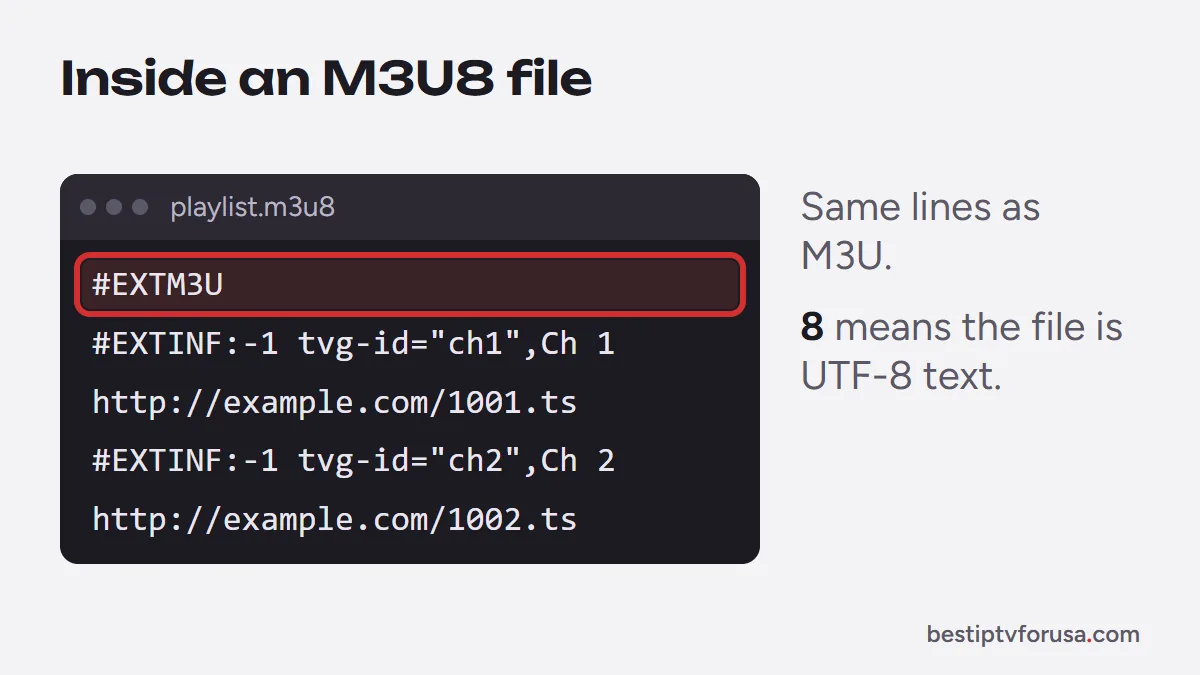
An M3U8 file is readable text. In an IPTV playlist, it looks like this (addresses invented for the example):
#EXTM3U
#EXTINF:-1 tvg-id="news1" group-title="News",News Channel 1
http://example.com/live/user/pass/1001.ts
#EXTINF:-1 tvg-id="movies1" group-title="Movies",Movie Channel 1
http://example.com/live/user/pass/1002.ts- #EXTM3U on the first line marks the file as an extended playlist.
- #EXTINF lines describe each entry: the channel name, the group it belongs to and an ID that links it to the TV guide.
- The line after each #EXTINF is the stream address.
An HLS playlist uses the same format for a different job: instead of channels, it lists short video segments of one stream, or the same stream in several qualities, which the player loads one after another.
How to open an M3U8 file or playlist
How you open it depends on what you want to do:
- To watch it, add the link to an IPTV player app. Most players have an option to add a playlist by M3U link; our guide to the M3U playlist shows where it is in each app.
- On a computer, VLC, the free media player, opens .m3u and .m3u8 files and network links: use Media, then Open Network Stream, and paste the link.
- To look inside, open a downloaded .m3u8 file in any text editor. You will see the lines described above.
M3U8 playlists in IPTV: M3U link vs Xtream Codes
Your IPTV welcome email usually contains two ways to sign in: an M3U link (ending in .m3u or .m3u8, or with “type=m3u” in the address) and an Xtream Codes login (server URL, username and password).
Both open the same service, but the Xtream Codes login is often easier: it is shorter to type with a remote, and players use it to load live TV, movies, series and the TV guide in separate sections. The M3U link is handy for players that only accept a playlist, such as VLC. Our guide to Xtream Codes vs M3U compares both.
Free M3U8 playlists on GitHub: what to know
Searches for M3U8 playlists lead to public lists of free streams, often shared on code-hosting sites. They come with real drawbacks:
- Links break often and nobody maintains them.
- There is rarely a TV guide, or one that matches the channels.
- You cannot check the sources. Apps and files shared next to these lists can be modified; the US Federal Trade Commission explains the warning signs in its guide to malware.
Our guide to IPTV channels explains what a maintained lineup includes, with a TV guide and catch-up.
M3U8 playlist not working
If an M3U8 link loads nothing or stops working, check these causes in order:
- The link was copied incompletely. Long links are easy to cut; copy it again from your welcome email.
- The subscription has ended. An expired line stops the playlist in every app.
- The wrong playlist type was chosen. Some players ask whether you add an M3U link or an Xtream Codes login; pick the matching option.
- Names display as odd symbols. The file was saved in another encoding; saving it as UTF-8 (.m3u8) fixes it.
If channels still fail in every app, follow our step-by-step guide for when IPTV is not working. To test both sign-in methods yourself, request the 24-hour free trial.
Questions people ask
Is M3U8 the same as M3U?
Almost. Both are text playlists with the same structure. M3U8 means the file is encoded in UTF-8, which keeps names in any language readable; a plain M3U file may use another encoding.
How do I play an M3U8 file?
Open the link in an IPTV player app, or in VLC on a computer. VLC opens both .m3u and .m3u8 files and network links.
Can I convert M3U to M3U8?
Yes, by saving the same text file with UTF-8 encoding and the .m3u8 extension, for example in a text editor. The content does not change.
Why does my M3U8 link stop working?
The usual causes are an expired subscription, a link copied incompletely, or a provider that changed its server address. Copy the link again from your welcome email and check your plan's end date.

Elmer Wenston writes the BestIPTVforUSA guides on IPTV setup, player apps and devices.