
By Elmer Wenston, updated . 4 min read.
Live TV apps for Firestick fall into three groups: IPTV player apps that play an IPTV service, live TV streaming apps from the Amazon Appstore, and an antenna route for free local broadcasts. Each brings a different lineup, price and setup, and your Fire TV model matters, because new sticks running Amazon’s Vega OS only install Appstore apps. This guide explains the three routes, the risks of “free live TV” app lists and how to choose.
How live TV works on a Fire TV
A Fire TV does not receive TV channels on its own: live TV always comes from an app or an attached source. Fire TV gathers live channels from supported apps into its Live tab and channel guide (AFTVnews). Only apps that support this feature appear there; an IPTV player shows its channels in its own guide.
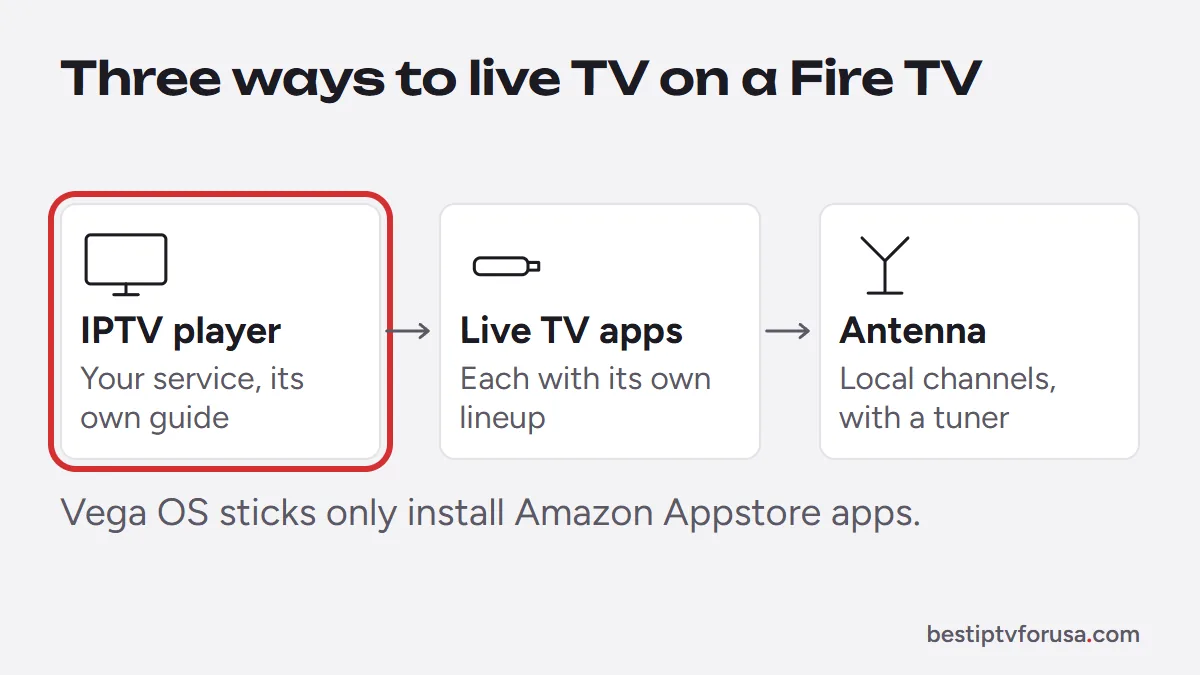
There are three ways to get those live channels:
- IPTV player apps that play the live channels, guide and on-demand library of an IPTV service you subscribe to.
- Live TV streaming apps from the Amazon Appstore, each with its own lineup and account.
- An antenna for local broadcast channels, with a tuner.
Which route works also depends on your Fire TV model. Fire TV devices running Fire OS, such as the Fire TV Stick 4K Plus, 4K Max and Fire TV Cube, can install apps from outside the Appstore. Sticks running Vega OS, starting with the Fire TV Stick 4K Select in October 2025, only install Amazon Appstore apps (AFTVnews). If you have not chosen a device yet, our guide to the best IPTV box compares Fire TV with Android TV boxes, MAG and Formuler boxes and Apple TV.
Route 1: IPTV player apps for live TV on a Firestick
IPTV player apps are the route for a full channel lineup with a cable-style guide. The app shows the channels of the IPTV service you sign in to; it has none of its own. The common players on Fire TV:
| Player | How it installs on Fire OS | Sign-in |
|---|---|---|
| IBO Player Pro | Downloader | Device ID, activated by your provider |
| TiviMate | Downloader, from tivimate.com/download | Xtream Codes or M3U |
| ELK Player | Downloader | Device ID and key |
| Hot Player | Amazon Appstore | MAC address, activated by your provider |
On a Vega OS stick, Hot Player in the Appstore is the route to try; the others install with Downloader, which does not work there. Our comparison of the best IPTV app for Firestick explains each player, and the Downloader codes list gives the install codes.
Route 2: live TV streaming apps
Live TV streaming apps deliver a fixed lineup inside their own app, usually with a monthly subscription that renews until you cancel. You install them from the Amazon Appstore, so they work on Fire OS and Vega OS models alike, as long as the company publishes its app there.
Some Appstore apps are free with ads instead, usually with a smaller lineup. Paid apps suit people who want one familiar app and do not mind monthly billing. Compared with an IPTV service, check the monthly price after any introductory offer, how many screens can play at once and whether the lineup covers your local channels. Our comparison of IPTV vs online TV explains how the two approaches differ day to day.
Route 3: a free antenna for local channels
Local broadcast channels are free over the air wherever your antenna gets a signal. With a digital antenna and a tuner, you can watch those channels on your TV; some tuners can also show them in the Fire TV guide, so check the tuner maker’s compatibility list. It costs nothing per month after the equipment and keeps working when the internet is down.
An antenna only brings local broadcasts, so many households combine it with one of the two other routes. Our list of cable alternatives covers antennas and the other options in more detail.
Free live TV apps: what to watch out for
Searches for live TV apps on Firestick lead to lists of free apps to install from unknown websites. Be careful with them:
- Unwanted software. Apps from unknown sources can carry adware or worse, and they are not checked by an app store.
- No updates or support. An app that stops working leaves you with nothing to fix it.
- Unclear content. An app that offers everything for nothing rarely explains where its channels come from.
The safe rule is simple: install apps from the Amazon Appstore or from the official source of a known player, and get channels from a service you subscribe to or from your own antenna.
Which route fits you
- You want a full lineup with a cable-style guide on one remote: an IPTV service in a player app; see the best IPTV for Firestick.
- You want one familiar app and do not mind monthly billing: a live TV streaming app from the Appstore.
- You only need local channels: an antenna with a compatible tuner.
- You own a Vega OS stick: an Appstore player such as Hot Player, a streaming app, or an antenna.
To test the IPTV route on your own Fire TV, request a 24-hour free trial, install a player and check the channels and the guide on your main TV.
Questions people ask
Can I watch live TV through a Firestick?
Yes. Install an IPTV player and sign in to an IPTV service, install a live TV streaming app from the Appstore, or connect an antenna through a compatible tuner for local broadcasts.
What is the best Firestick app for live TV with IPTV?
IBO Player Pro if you want no typing with the remote, TiviMate for the fullest TV guide, and the free version of TiviMate if you want to pay nothing for the app. Our comparison of the best IPTV apps for Firestick covers each option.
How can I watch live TV on a Fire Stick for free?
Local broadcast channels are free over the air with an antenna, and some streaming apps in the Amazon Appstore are free with ads. Avoid free live TV apps from unknown websites, which can carry unwanted software.
Do Fire TV Sticks with Vega OS run IPTV apps?
Only apps from the Amazon Appstore. Check the Appstore on your stick for a player such as Hot Player; most other IPTV players install with Downloader, which does not work on Vega OS.

Elmer Wenston writes the BestIPTVforUSA guides on IPTV setup, player apps and devices.