
By Elmer Wenston, updated . 4 min read.
The main cable alternatives are IPTV, live TV streaming apps, a free over-the-air antenna, free ad-supported streaming apps and on-demand services. Each one replaces a different part of what cable does, so a common approach is to combine two: one for live channels and one for shows and movies. The savings can be large, since US households pay a median of $125 a month for cable and satellite TV according to a 2026 doxo report (Broadband Breakfast, August 2026). For a head-to-head comparison with one of them, see IPTV vs cable.
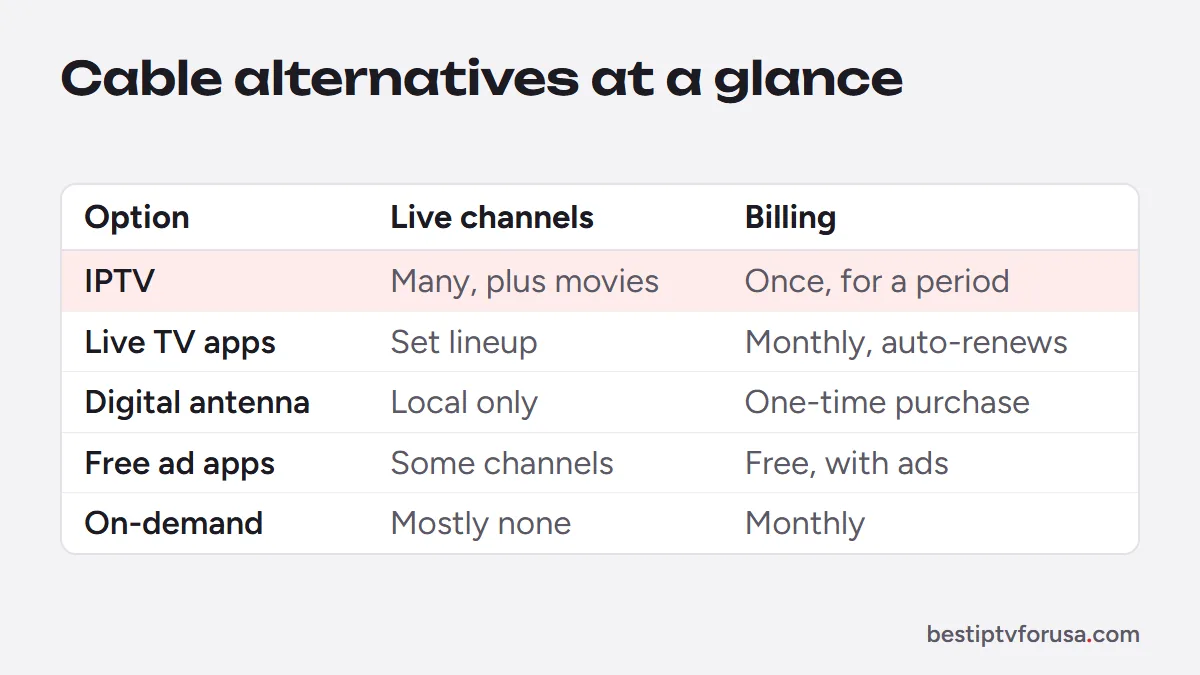
Cable alternatives at a glance
| Alternative | Live channels | Local channels | Cost | Contract |
|---|---|---|---|---|
| IPTV subscription | Yes | Depends on the service | Paid once for a period you choose | Varies by service |
| Live TV streaming apps | Yes | Varies by service | Monthly subscription per app | Monthly, renews automatically |
| Digital antenna | Local broadcasts only | Yes, where you have reception | One-time antenna purchase | None |
| Free ad-supported apps | Some live and themed channels | Varies by app | Free, with ads | None |
| On-demand services | Mostly no | No | Monthly subscription per service | Monthly |
1. IPTV: live TV, movies and series in one plan
An IPTV subscription streams live channels, a TV guide, catch-up and on-demand movies and series over your home internet, through a player app on the TV, stick or phone you own. It is the closest replacement for a full cable package. With BestIPTVforUSA, plans run from $30 for 3 months to $250 for 5 years on one screen, paid once, with nothing that renews automatically. Our guide to how much IPTV costs breaks down the prices, and how to get IPTV at home shows the setup.
Best for: households that want many live channels and on-demand content in one place.
2. Live TV streaming apps
Live TV streaming apps carry a fixed lineup of channels over the internet and bill you every month. They are simple to install on smart TVs and streaming sticks. Before choosing one, check the monthly price after any introductory offer, whether it limits where you can watch, and how many screens it allows at once. Our comparison of IPTV vs online TV explains how these apps differ from an IPTV service.
Best for: people who want one app with a set lineup and do not mind a monthly bill.
3. A digital antenna for local broadcasts
A digital antenna connected to your TV picks up local broadcast channels for free, wherever you have reception. It is a one-time purchase and keeps working even when your internet is down. Reception depends on your distance from the broadcast towers and on your home, so an antenna near a window or on the roof usually performs better than one behind the TV.
Best for: local news and broadcast shows at no monthly cost, and as a backup during internet outages.
4. Free ad-supported streaming apps
Several free apps offer themed live channels and on-demand titles, paid for by advertising. The selection is narrower than a paid service, and you will see ads, but they cost nothing and install on most smart TVs and sticks.
Best for: filling gaps at no cost, alongside a main service.
5. On-demand services
On-demand services offer libraries of movies and series to watch whenever you want, but usually little or no live TV. They replace the “movies and shows” part of cable, not the live channels.
Best for: people who mostly watch series and movies, not live events.
How to choose your cable alternative
- List what you actually watch for two weeks: live channels, local news, sports, series, movies.
- Match each item to an alternative in the table above.
- Check your internet: count about 10 Mbps per HD screen and 25 Mbps per 4K screen playing at the same time.
- Test before you cancel: run a free trial on the TV you will use, at the time you usually watch.
- Cancel cable and return the box only when everything works.
What changes when you leave cable
A few habits change, mostly for the better:
- The TV guide moves into an app. Players such as TiviMate show a grid close to a cable box; others show a list per channel.
- Recording is replaced by catch-up on supported channels, or by recording inside some player apps.
- The remote is the one of your streaming stick or smart TV, with fewer buttons than a cable remote.
- The bill becomes one or two smaller payments, without box rental.
- Your internet carries the TV, so a steady connection matters: an Ethernet cable or strong 5 GHz Wi-Fi near the TV helps.
A common combination
A common setup has two pieces: an internet TV service for live channels and on-demand content, plus a free antenna for local broadcasts and as a backup. That covers what cable did, on the TVs they already own, for a fraction of a typical cable bill. If someone in the home only watches local news, the antenna alone may be enough for that TV, while the living room keeps the full internet TV service. Mixing like this lets each screen have exactly what its viewer needs.
Try it before you drop cable
You can test BestIPTVforUSA alongside your cable for a day with the 24-hour free trial, no card needed. If it covers what your household watches, choose a plan from our home page and cancel cable when you are ready.
Questions people ask
What can I replace my cable with?
An IPTV subscription or a live TV streaming app for live channels, a free antenna for local broadcasts, and free or on-demand apps for shows and movies. You can combine two of these.
What are people replacing cable TV with?
Internet-based TV is a common choice: live TV streaming apps, IPTV services and on-demand apps, often combined with a free antenna for local channels. All of them play on the smart TV, streaming stick or phone people already own.
Is there a way to get regular TV channels without cable?
Yes. A digital antenna picks up local broadcast channels for free where you have reception, and IPTV or live TV streaming apps carry live channels over your internet connection.
How can seniors reduce their cable bills?
By switching to a simpler setup: a free antenna for local channels plus one internet TV service, on a TV they already own. Choose a service with a free trial and no contract, and ask a family member to help with the first setup.
What is the best way to get rid of cable and still watch TV?
List the channels and shows you actually watch, pick the alternative that covers them, test it with a free trial on your own TV, and cancel cable only once everything works.

Elmer Wenston writes the BestIPTVforUSA guides on IPTV setup, player apps and devices.