
By Elmer Wenston, updated . 4 min read.
The best IPTV app for LG TV, for most homes, is IBO Player Pro or Hot Player. LG TVs run webOS, so you install players from the LG app store, and these two are activated with the TV’s device ID: you send us the ID and we add your playlist, so nobody types a long login with the Magic Remote. Hot Player’s developer lists the LG TV store among its download places (hotplayer.app), and IBO Player Pro’s developer lists LG and Samsung TVs on its official app store (ibo.al). This guide compares the LG options, shows how to install them and covers older TVs. For Samsung TVs, see our guide to the best IPTV app for Samsung TV.
Best IPTV app for LG TV: the options compared
All four players show the channels from your IPTV subscription; none of them includes channels. They differ in how you sign in and what they cost:
| App | How you sign in | Typing with the remote | Cost (set by its developer) |
|---|---|---|---|
| IBO Player Pro | Device ID and key, activated for you | None | Free trial, then a one-time fee per TV |
| Hot Player | MAC address on its first screen, activated for you | None | Free period, then a small license fee |
| Set IPTV | MAC address, playlist added on its website | None on the TV | 7-day free trial, then a small one-time fee |
| ELK Player | Device ID and key, activated for you | None | 14-day free trial, then a one-time fee |
Store listings can vary by TV model and year. Search the app name on your own TV before choosing.
How to install an IPTV app on an LG TV
The steps are the same for every app in the table:
- Update the TV software from the TV’s settings menu, so the store shows current apps; LG’s support site covers updates for each model.
- Open the LG app store from the Home screen (named LG Content Store or Apps, depending on the model).
- Search for the player by name, select it and choose Install.
- Open the app and note the device ID or MAC address on its first screen.
- Send it to us. We activate your playlist, usually within minutes; restart the app and your channels load.
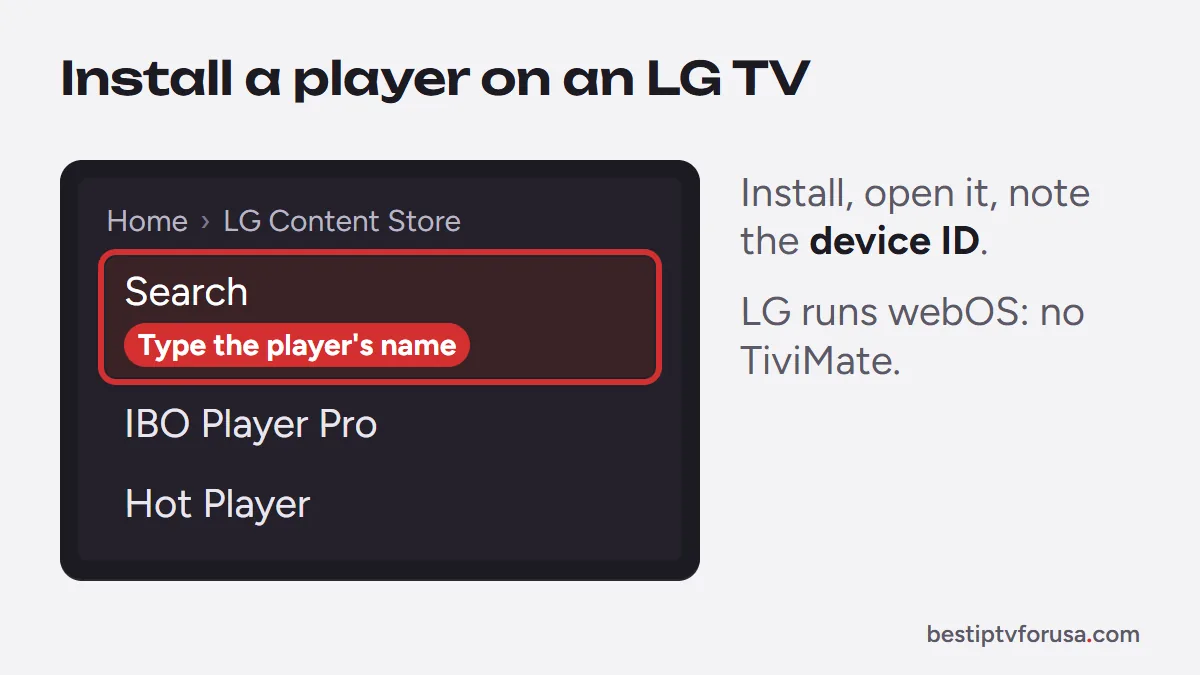
Our Samsung and LG smart TV guide has the full steps, and the IBO Player Pro and Hot Player guides cover each app.
Is there a free IPTV app for LG TV?
Not free forever. The players that work well on LG TVs start with a free trial or free period, then charge a small fee for that TV, paid to the app’s developer. That fee is separate from your IPTV plan.
What you can do for free is test: install the app, use its trial, and request our 24-hour free trial to see your channels, TV guide and movies on your own LG TV before paying anyone.
Does TiviMate work on LG TVs?
No. TiviMate is an Android app, and LG TVs run webOS, which does not install Android apps or APK files. If you want TiviMate’s guide grid on an LG TV, plug in a Fire TV or Google TV stick and install it there; our TiviMate Downloader code guide covers the Fire TV install. The same applies to other Android-only players.
Older LG TVs and other options
LG TVs from several years ago may not show current players in their store, or may run them slowly. If the app you want is missing:
- Check for a software update, then search the store again.
- Plug in a streaming stick. A Fire TV Stick or a Google TV device adds every major player; our comparison of Fire TV vs Google TV helps you choose.
- Use an Android TV box for the widest choice of apps; see our guide to the best Android TV box for IPTV.
Tips for watching IPTV on an LG TV
A few settings make a difference once the app is running:
- Use a wired connection if your TV has an Ethernet port and the router is close; it keeps streams steadier than Wi-Fi.
- Let the guide load for a few minutes after activation before judging it.
- Pick the HD version of a channel if 4K buffers on your connection; our 4K IPTV page explains what 4K needs.
Whichever app you pick, the quickest way to know if it suits your TV is to try it: install it, send us the device ID and request the 24-hour free trial.
Questions people ask
What is the best IPTV app for LG TV?
For most homes, IBO Player Pro or Hot Player: you send us the device ID shown on the app's first screen and we activate your playlist, with nothing to type. Set IPTV and ELK Player work the same way.
Is there a free IPTV app for LG webOS TVs?
The main players start free, with a trial or free period, then charge a small fee paid to their developer. Your channels come from your IPTV subscription, which is separate.
Can I add an M3U playlist on an LG TV?
With an app activated by device ID, you send us the ID and we add your playlist. Apps that take an M3U link let you add it from their website, using the link in your welcome email.
Does IPTV work on old LG TVs?
Older models may not have the current apps in their store. A Fire TV or Google TV stick plugged into the HDMI port is the simplest way to add them.

Elmer Wenston writes the BestIPTVforUSA guides on IPTV setup, player apps and devices.