
By Elmer Wenston, updated . 4 min read.
TiviMate EPG sources are the web addresses TiviMate reads to fill its TV guide. If you sign in with an Xtream Codes login, the guide usually loads on its own from your provider. If you use an M3U link, you add your provider’s EPG link as a source. When the guide stays empty, the cause is usually one of four things, and third-party EPG sources are rarely the answer. This guide covers how to get a full guide and keep it up to date.
What an EPG source is in TiviMate
An EPG source is a link to an XMLTV file: a list of channels with their program titles, start times and descriptions for the coming days. XMLTV is an open format maintained by the XMLTV project, which publishes tools for TV listings in that format. TiviMate downloads it and places each program next to the right channel in its guide grid.
The match happens through channel IDs. Every channel in your playlist carries an ID, and the EPG file uses the same IDs. When they match, the program appears; when they do not, the channel row stays empty even though the channel plays. Our guide to the IPTV EPG explains the format in more detail.
Add your provider’s EPG source
How you get the guide depends on your login type:
- Xtream Codes login: TiviMate asks the provider’s server for the guide at the same time as the channels, so it usually appears without any extra step. This is the simplest setup, and the one our TiviMate setup guide uses.
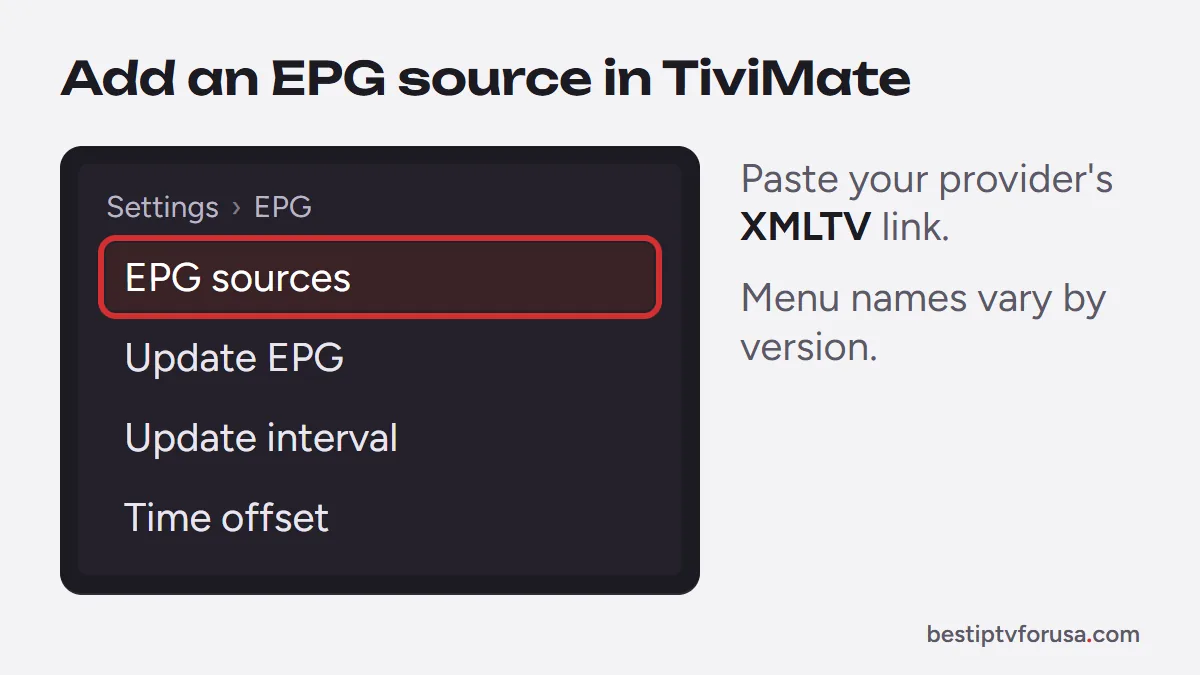
- M3U link: the playlist only lists channels. Add your provider’s EPG link (an XMLTV address) as an EPG source; if it is not in your welcome email, ask your provider’s support for it.
To add a source, open TiviMate’s settings and look for the EPG section, where you can manage EPG sources, update the guide, choose how often it refreshes and set a time offset. Menu names change between app versions, so look for those words rather than an exact path.
If your provider offers both login types, choose Xtream Codes: it loads the guide, movies and series in one step. Our comparison of Xtream Codes vs M3U explains the difference.
Why the TiviMate guide is empty, and the fixes
| What you see | Likely cause | Fix |
|---|---|---|
| Whole guide empty, channels play | M3U link with no EPG source | Add your provider’s EPG link, or sign in with Xtream Codes |
| Some channels empty | Channel IDs do not match the EPG file | Ask your provider for the matching EPG link, or check the channel’s guide assignment |
| Guide empty right after setup | First download still in progress | Wait a few minutes, then update the guide |
| Programs at the wrong time | Time offset | Adjust the EPG time offset in the EPG settings |
| Guide stopped after a few days | Guide not refreshing | Update the guide and set an automatic refresh interval |
Guide files can be large. On a slow stick, the first load can take a few minutes, so give it time before changing settings. If nothing appears after a refresh, check with your provider’s support that your EPG link is still current.
Third-party TiviMate EPG sources: when they help, and the risks
Searches for TiviMate EPG sources lead to lists of free guide links. They can fill gaps, but they come with trade-offs:
- Mismatched IDs. A third-party file uses its own channel IDs; if they differ from your playlist, the guide stays empty for those channels.
- Outdated data. Free lists are not always maintained, and a guide that stops updating is worse than none.
- Unknown sites. A link from an unknown source can stop at any time and tells you nothing about who runs it.
Use your provider’s EPG link first. It is built for your exact channel list. Only add a third-party source for a specific channel your provider does not cover, and only from a source you trust.
How to check that an EPG link works
Before you blame the app, check the link itself. An EPG link is an ordinary web address, so you can test it on a computer or phone:
- Open the link in a web browser. A working link usually downloads a file ending in .xml or a compressed version ending in .gz, or shows a long page of text that starts with tv and channel tags.
- Look at the size. A guide for many channels over several days is a large file; a file of a few kilobytes usually means an error page instead of a guide.
- Compare a channel. Open the file and search for a channel name from your list: if it is missing, this source cannot fill that channel (unzip a .gz file first).
If the link does not open at all, it has expired or changed. Ask your provider’s support for the current one rather than searching for a replacement online.
Keep the guide up to date
A guide file covers a limited number of days ahead, so TiviMate needs to refresh it regularly. In the EPG settings, set an automatic update interval and update the guide by hand if you notice missing days. If you switch providers or receive a new login, remove the old EPG source so it does not mix with the new one.
The free version of TiviMate shows the guide; TiviMate Premium adds other features but does not change where the guide data comes from.
Try it with a free login
The fastest way to get a complete guide is to start with an Xtream Codes login. Request a 24-hour free trial, add it to TiviMate and the guide loads with your channels. If you prefer the M3U link, ask support for the EPG link to add as a source.
Questions people ask
How do I add an EPG source to TiviMate?
Open TiviMate's settings and look for the EPG section, where you can add a source by pasting the XMLTV link from your provider. Menu names change between versions, so look for the word EPG rather than an exact path.
Why won't my EPG update on TiviMate?
Usually the guide has not refreshed yet, the EPG link has expired or changed, or the channel IDs do not match. Refresh the guide in the EPG settings, check the link with your provider and give a large guide file a few minutes to load.
What is the best EPG source for TiviMate?
The one your IPTV provider gives you, because it is built for the same channel list. Third-party sources only fill gaps when their channel IDs match your playlist.
Do I need TiviMate Premium for the TV guide?
No. The free version of TiviMate shows the TV guide. Premium adds extra features, but the guide data always comes from your EPG source.

Elmer Wenston writes the BestIPTVforUSA guides on IPTV setup, player apps and devices.