
By Elmer Wenston, updated . 4 min read.
The best IPTV app for Apple TV is the one that matches how you want to sign in. IBO Player Pro is activated with the Apple TV’s device ID, so nobody types a long login with the Siri Remote. Smarters Player Lite and UHF are free and sign in once with an Xtream Codes login. ELK Player and Hot Player round out the five options in the App Store. Each one is a player: it shows the channels, guide and on-demand library of the IPTV service you sign in to. For other devices, see our comparison of the best IPTV player apps, and for the phone in your pocket, IPTV for iPhone and iPad.
The five IPTV apps for Apple TV compared
| App | Price (set by its developer) | How you sign in | Best for |
|---|---|---|---|
| IBO Player Pro | 7-day trial, then about $8 once per device | Device ID, activated for you | No typing with the remote |
| Smarters Player Lite | Free | Xtream Codes | A free app that matches IPTV Smarters on other devices |
| UHF | Free, optional Pro plan | Xtream Codes | A player built for Apple devices only |
| ELK Player | 14-day trial, then about €6 once per device | Device ID, activated for you | An alternative to IBO Player Pro |
| Hot Player | Free period, then a small license fee | MAC address, activated for you | Households that also use it on Roku or a smart TV |
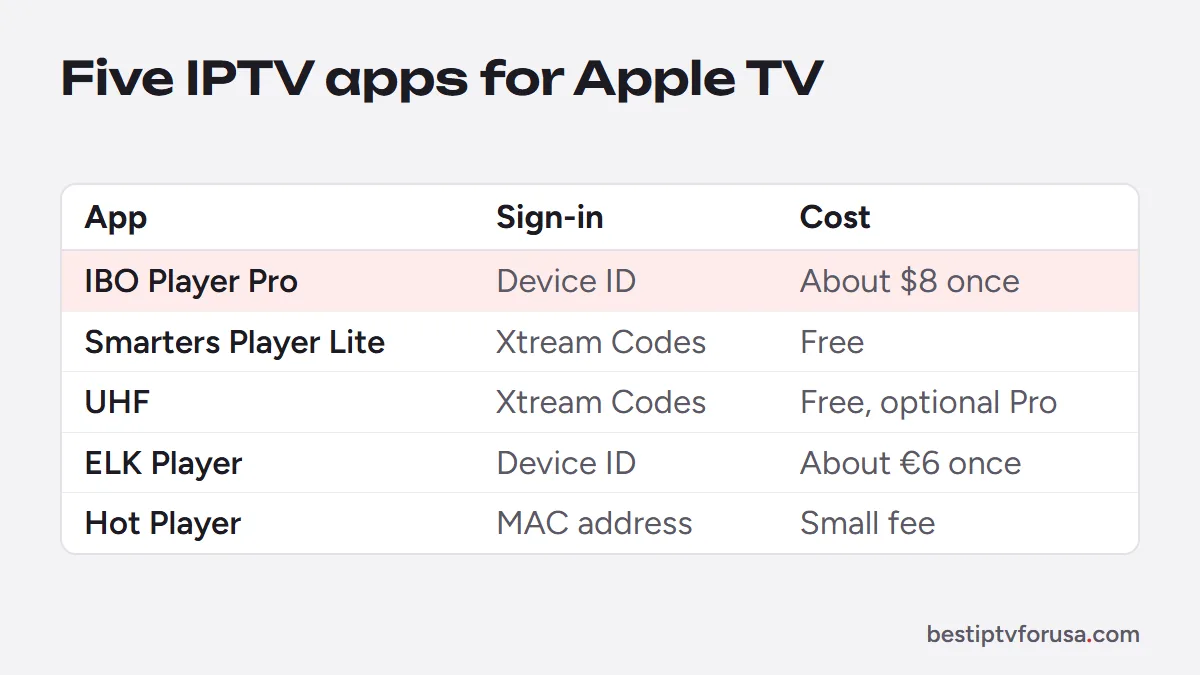
All five install from the App Store on the Apple TV itself. Apple’s Apple TV support pages explain how to update tvOS before you start.
IBO Player Pro: the easiest with the Siri Remote
IBO Player Pro shows a device ID on its first screen. You send it to support, the playlist is added to that Apple TV, and you restart the app. There is no server address, username or password to type, which makes it the simplest choice for a TV shared by the whole family. After a 7-day trial, it costs about $8 once for that device, paid to its developer.
Choose it if: you do not want to type with the remote, or several people use the TV.
Smarters Player Lite: the free all-rounder
Smarters Player Lite is the Apple version of IPTV Smarters. You sign in once with the server URL, username and password from your welcome email, and it loads live TV, movies, series and the guide. If you use IPTV Smarters on a Fire TV or a computer too, the menus will feel the same. It is listed as Smarters Player Lite in the App Store.
Choose it if: you want a free app and do not mind typing the login once. Our guide to Xtream Codes vs M3U explains the login fields.
UHF: a player built for Apple devices
UHF is a player for Apple devices only. It is free, with an optional Pro plan, and it signs in with Xtream Codes like Smarters Player Lite.
Choose it if: you watch only on Apple devices and want a player designed for them.
ELK Player and Hot Player
ELK Player works like IBO Player Pro: you send the device ID and key, and the playlist is activated for you, with a 14-day trial before a small one-time fee. Hot Player is activated with the MAC address on its first screen and is also available on Roku and some smart TVs, so it suits households that want the same app on several kinds of TV.
Best IPTV app for Apple TV: quick picks by situation
- A shared family TV: IBO Player Pro, so nobody has to type or remember a login.
- You want to spend nothing on the app: Smarters Player Lite or UHF.
- You already use IPTV Smarters on another device: Smarters Player Lite, for the same menus everywhere.
- You also have a Roku or a Hisense VIDAA TV: Hot Player, which runs on those too.
- IBO Player Pro does not suit you but you want activation by device ID: ELK Player.
Which Apple TV do you need?
Check each app’s App Store listing for the minimum tvOS version it needs. For 4K streams, use an Apple TV 4K with a 4K TV and enough bandwidth, about 25 Mbps per 4K screen. If your Apple TV model has an Ethernet port, a wired connection helps keep live TV steady. Our comparison of IPTV boxes shows how Apple TV compares with Fire TV and Android TV boxes.
How to install an IPTV app on Apple TV
- On the Apple TV, open the App Store and search for the app’s name.
- Install it and open it.
- Xtream Codes apps (Smarters Player Lite, UHF): enter the server URL, username and password from your welcome email.
- Device ID apps (IBO Player Pro, ELK Player, Hot Player): send the ID shown on screen to support, then restart the app after activation.
- Open the TV guide and check that the channels and times look right.
The full walk-through, including iPhone and iPad, is in our Apple TV and iPhone setup guide.
Try it on your Apple TV first
Install the app you prefer, then request a 24-hour free trial and sign in. Watch for an evening on the Apple TV you actually use. If the app and the picture suit you, keep it; if not, try another of the five, since your login works in any of them.
Questions people ask
What is the best IPTV app for Apple TV?
IBO Player Pro if you want no typing with the Siri Remote, since it is activated with the device ID. Smarters Player Lite or UHF if you prefer a free app and do not mind typing your Xtream Codes login once.
Is there a free IPTV app for Apple TV?
Yes. Smarters Player Lite is free, and UHF is free with an optional Pro plan. Both sign in with the server URL, username and password from your IPTV welcome email.
Is TiviMate available on Apple TV?
No. TiviMate runs on Android-based devices only, including Fire TV and Android TV. On Apple TV, use IBO Player Pro, Smarters Player Lite, UHF, ELK Player or Hot Player.
Which Apple TV model do I need for IPTV?
Check each app's App Store listing for the minimum tvOS version. For 4K streams, you need an Apple TV 4K and a 4K TV.
Can I watch IPTV on my TV from an iPhone instead?
Yes. Play a channel in a player app on the iPhone, open Control Center, tap Screen Mirroring and choose your Apple TV or AirPlay-compatible TV. A player installed on the Apple TV itself is smoother for daily use.

Elmer Wenston writes the BestIPTVforUSA guides on IPTV setup, player apps and devices.